
Drupal Cookie Consent Banner
Embed UniConsent into your Drupal website to ensure robust data privacy compliance. Easily meet GDPR, CCPA, LGPD, and EU Cookie Law requirements with our seamless integration.


How to setup
1. Find the UniConsent CMP Module
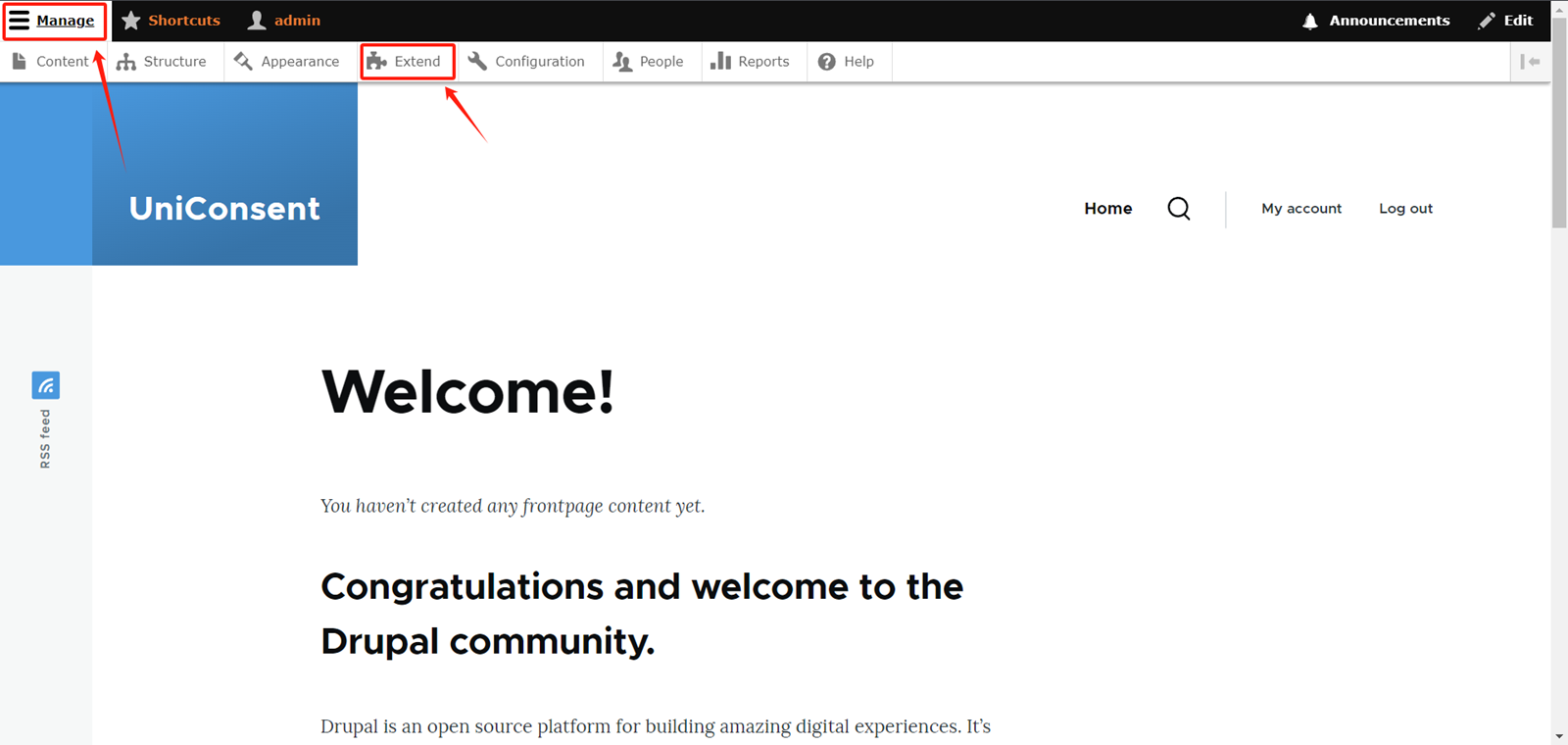
Log in to your admin account on your Drupal website. Expand theManage option button in the top right corner of the website.
Select Extend in the navigation bar.
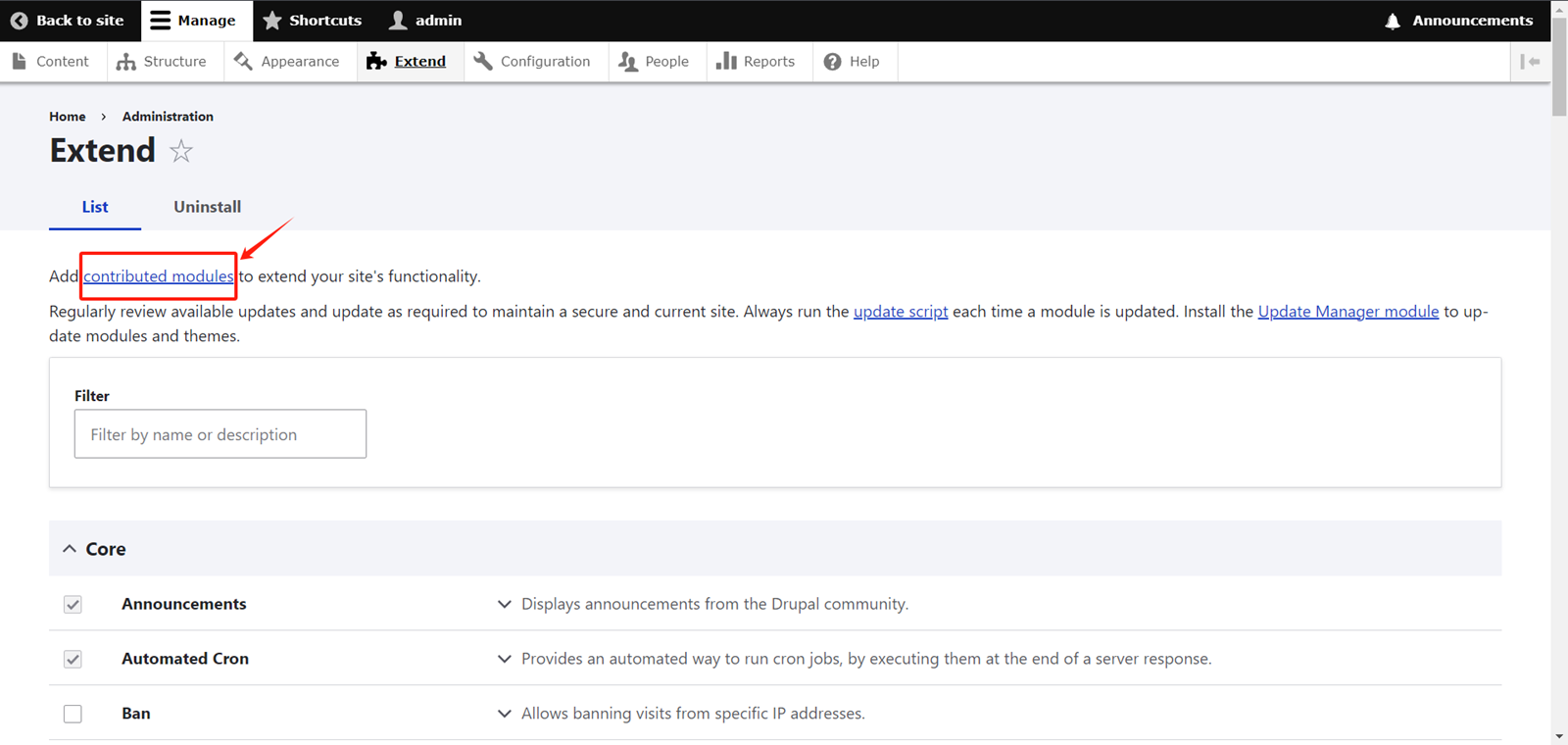
On the Extend page, click on Contributed Modules.
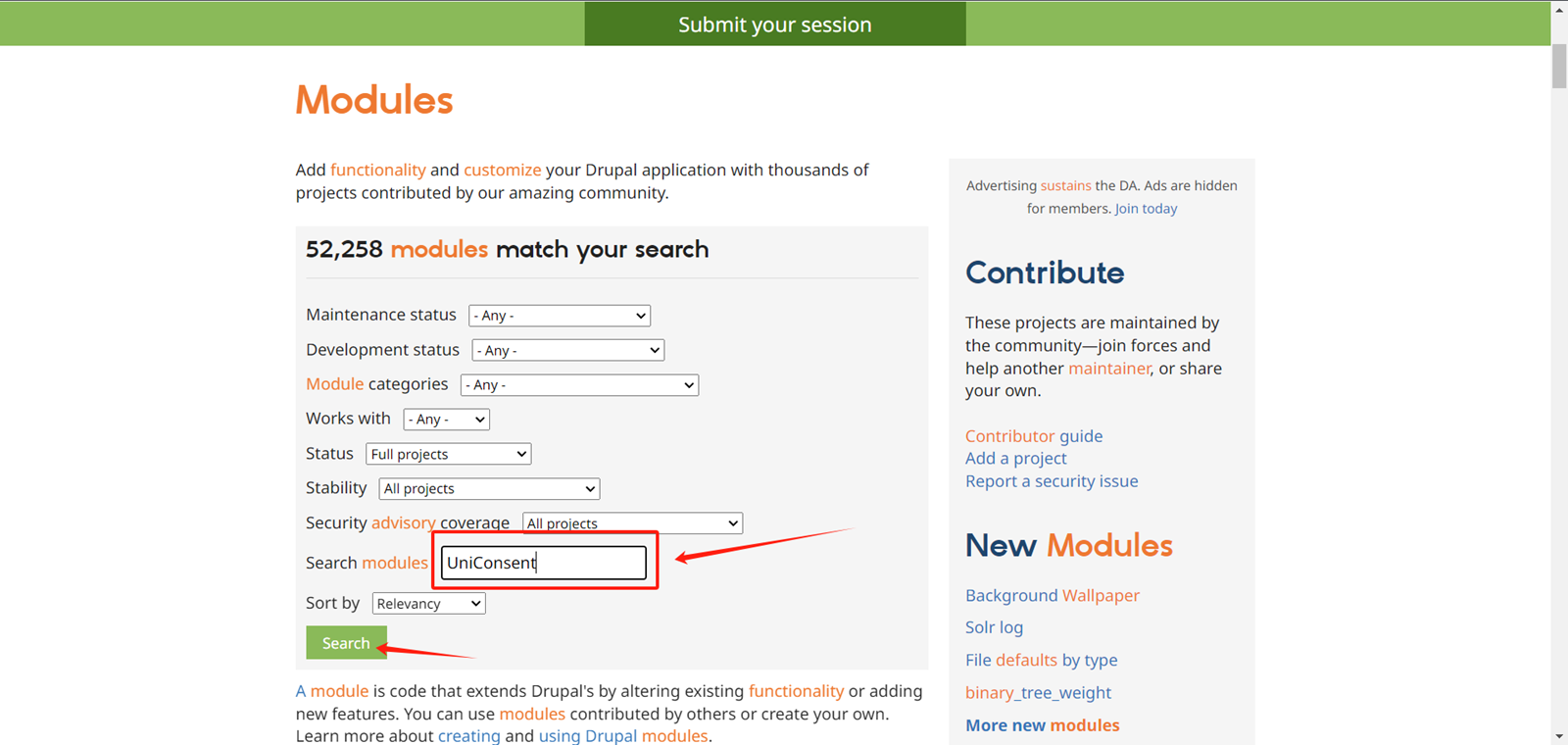
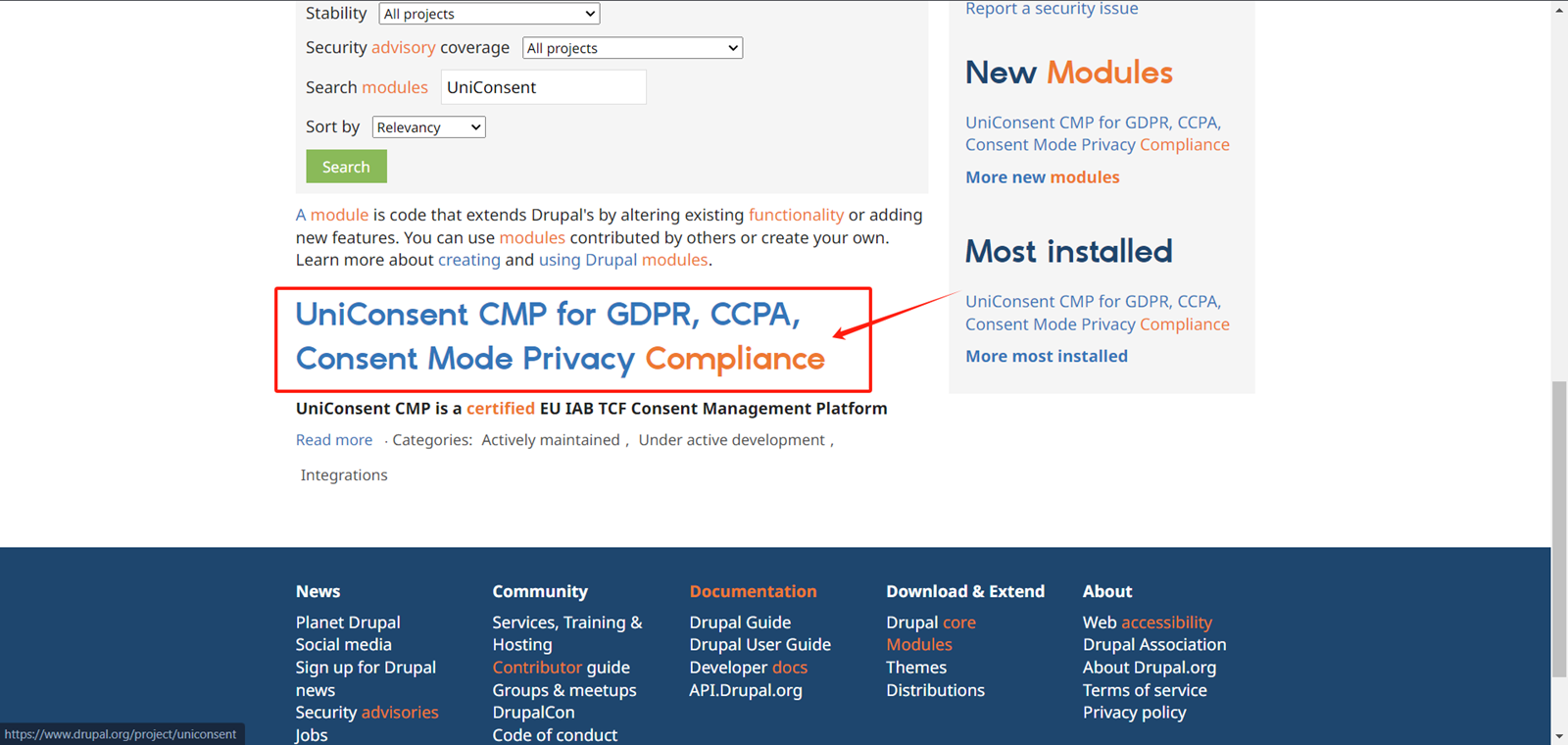
On the module search page, locate the input box labeled Search Modules.
Type UniConsent in the input box, then click the Search button.
Click on the search result
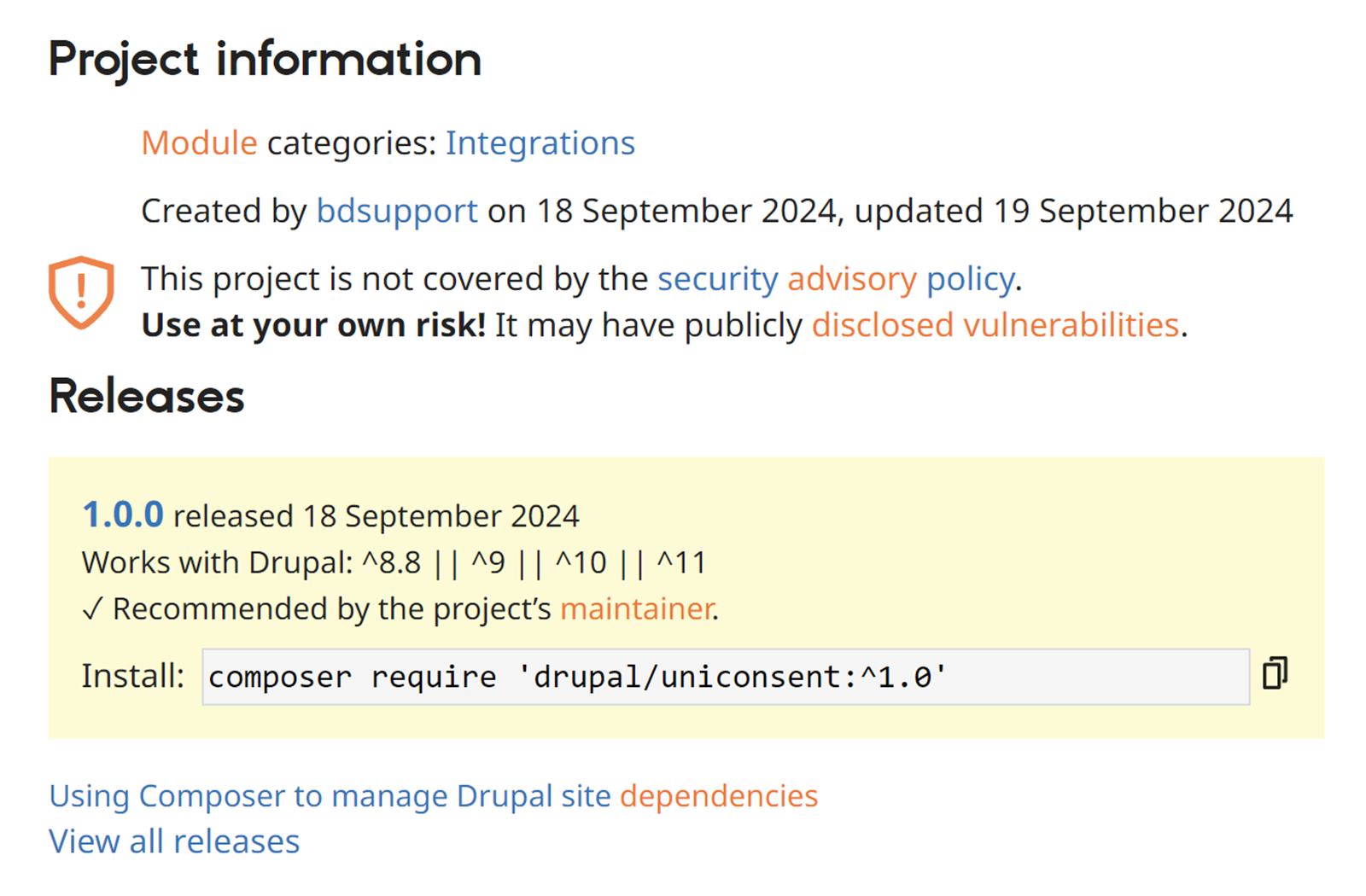
Copy the installation code at the bottom of the page.
2. Install the UniConsent CMP Module
Execute the code you just copied in the console.
Then, go back to the Drupal Extend page and filter for UniConsent.
Check the checkbox for the UniConsent CMP module.
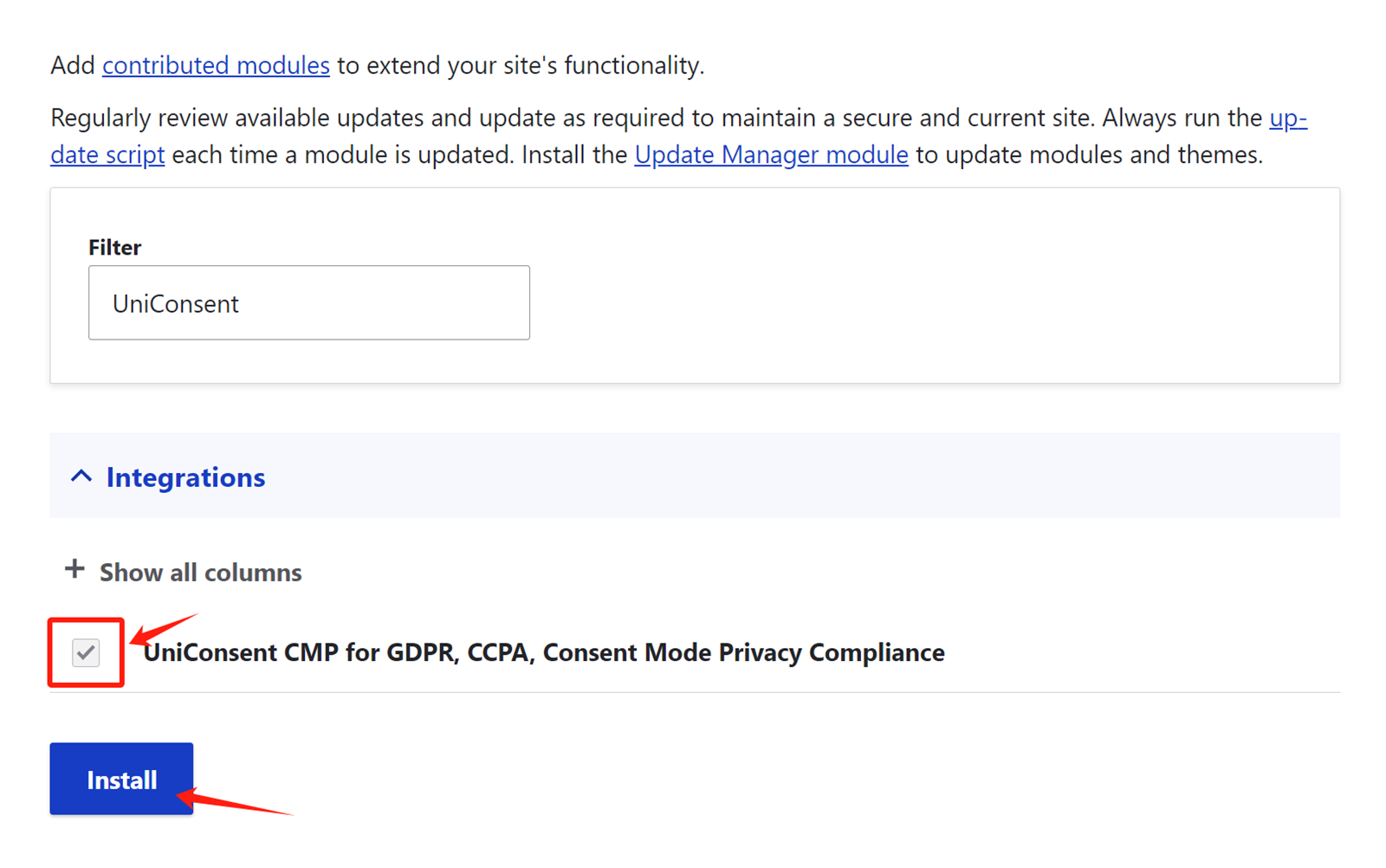
Click Install to activate the UniConsent banner across your site.