
Drupal Cookie 同意横幅
将 UniConsent 嵌入您的 Drupal 网站,确保强有力的数据隐私合规。通过我们的无缝集成,轻松满足 GDPR、CCPA、LGPD 和欧盟 Cookie 法的要求。
插件







如何设置
1. 找到 UniConsent CMP 模块
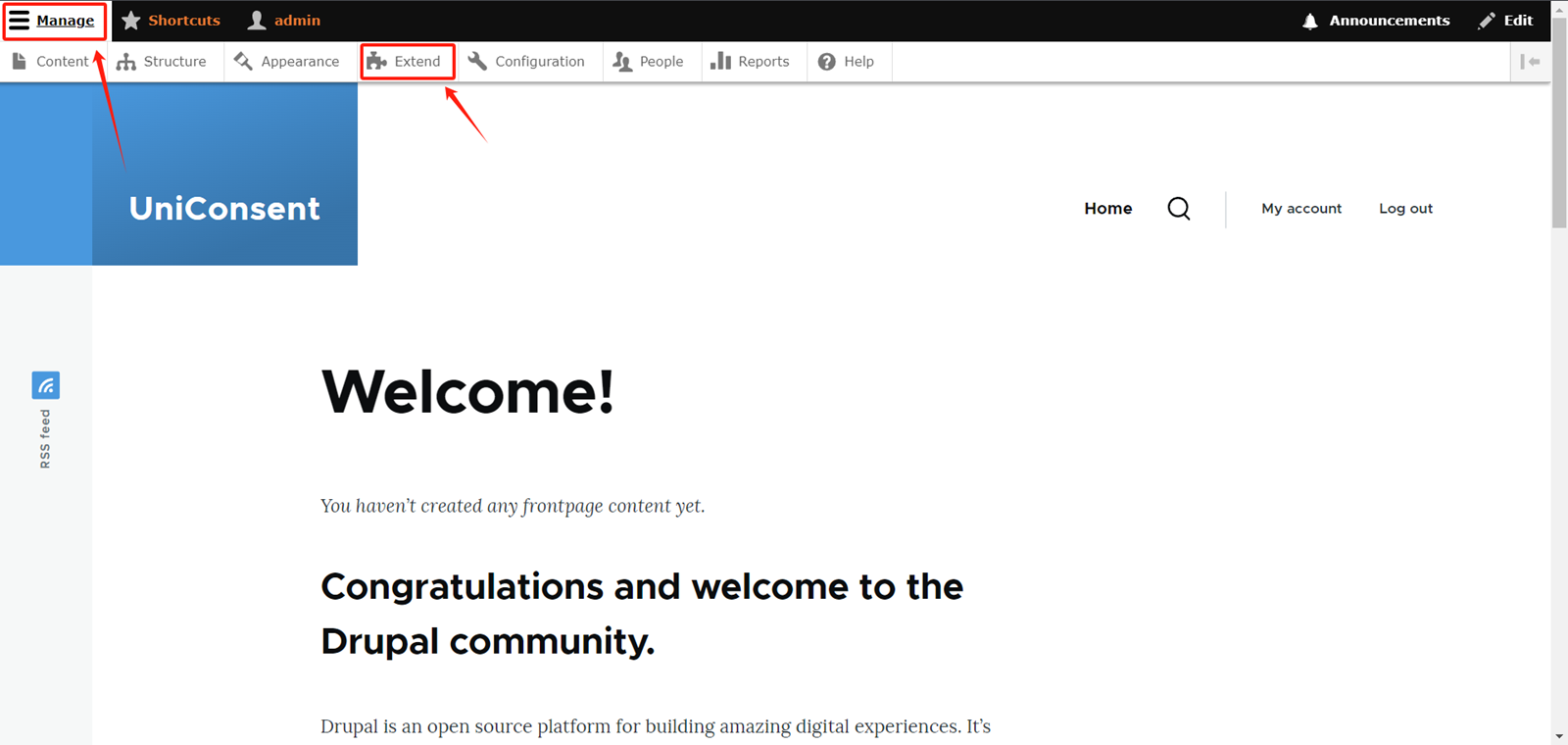
Log in to your admin account on your Drupal website. Expand theManage option button in the top right corner of the website.
Select Extend in the navigation bar.
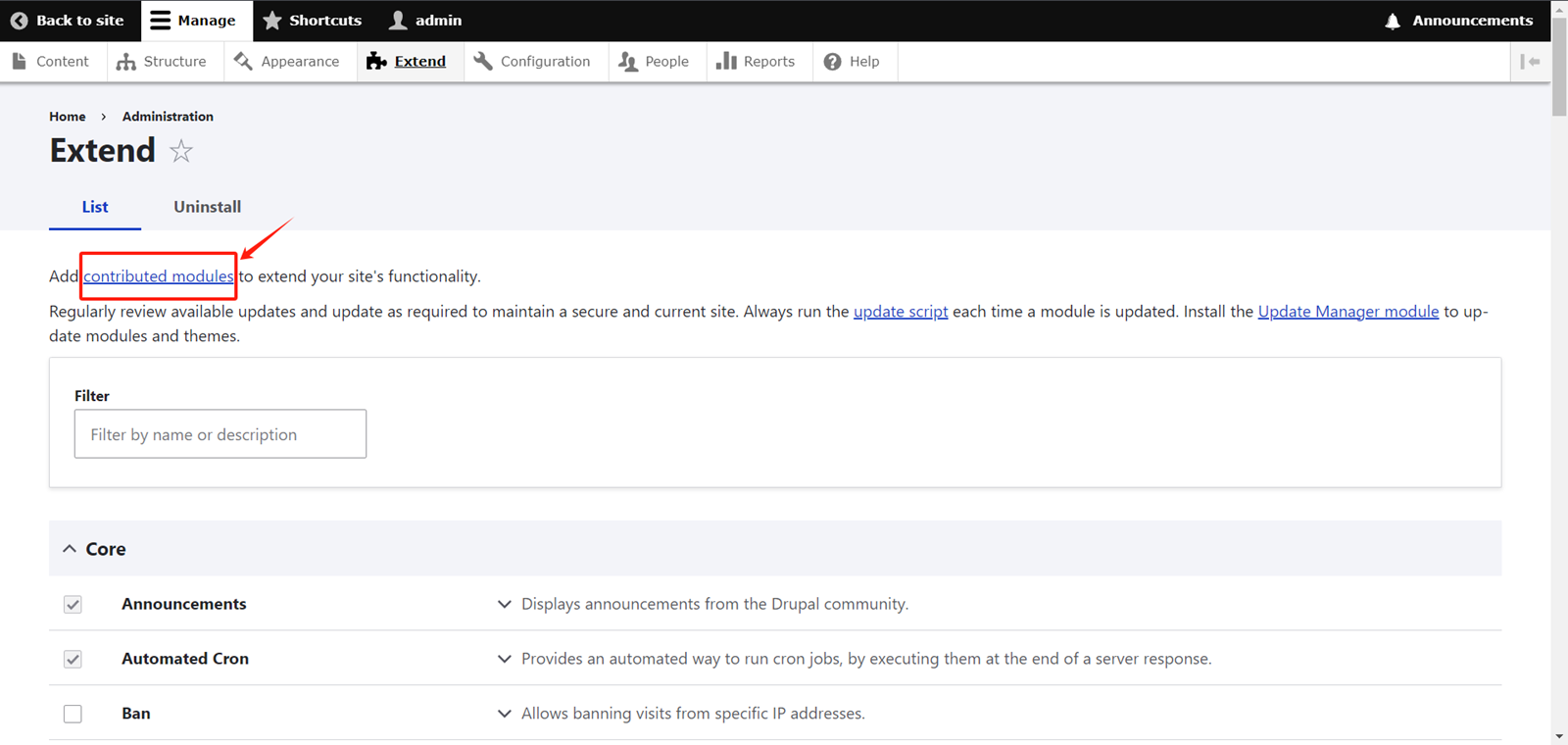
On the Extend page, click on Contributed Modules.
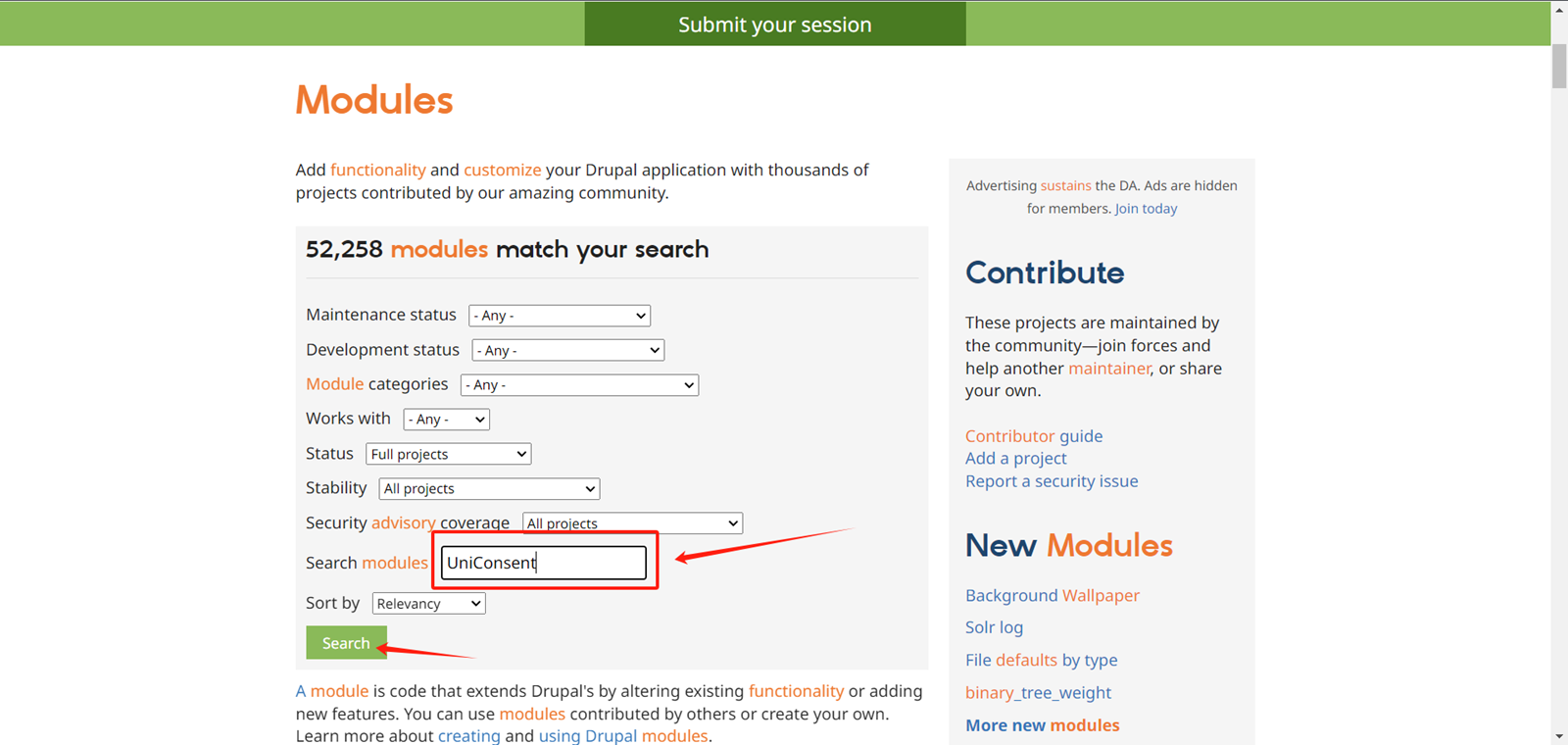
On the module search page, locate the input box labeled Search Modules.
Type UniConsent in the input box, then click the Search button.
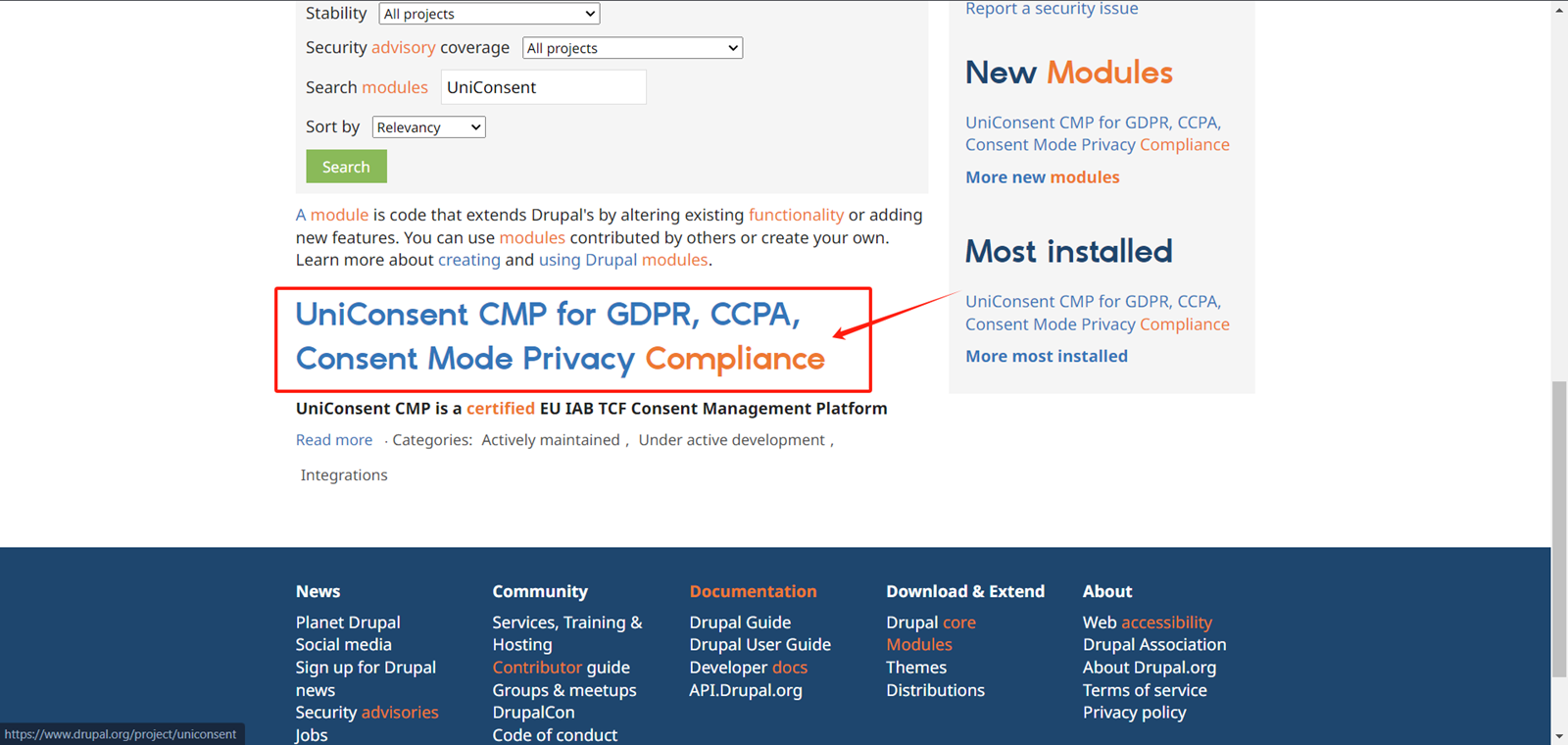
Click on the search result
Copy the installation code at the bottom of the page.
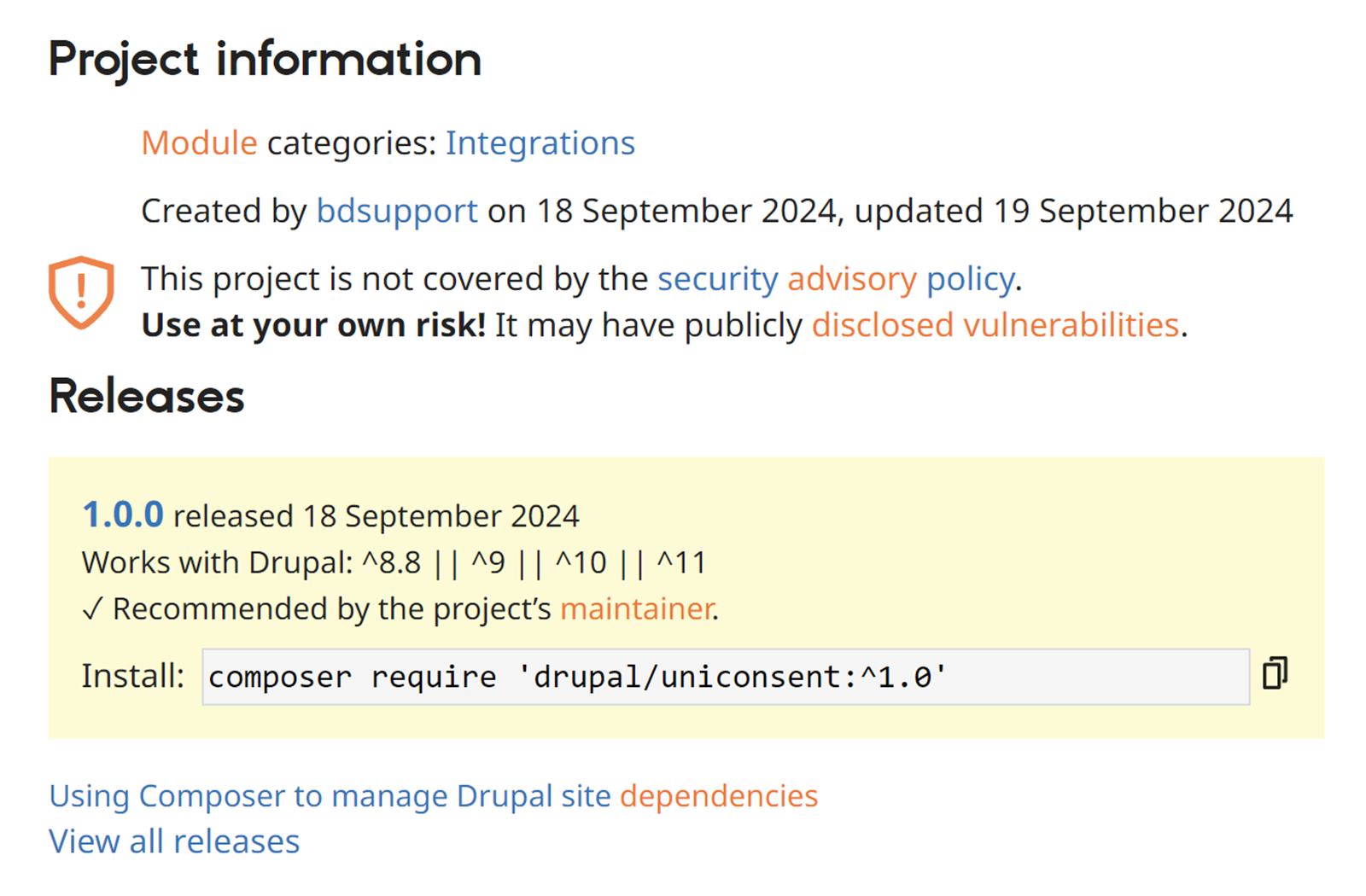
2. 安装 UniConsent CMP 模块
Execute the code you just copied in the console.
Then, go back to the Drupal Extend page and filter for UniConsent.
Check the checkbox for the UniConsent CMP module.
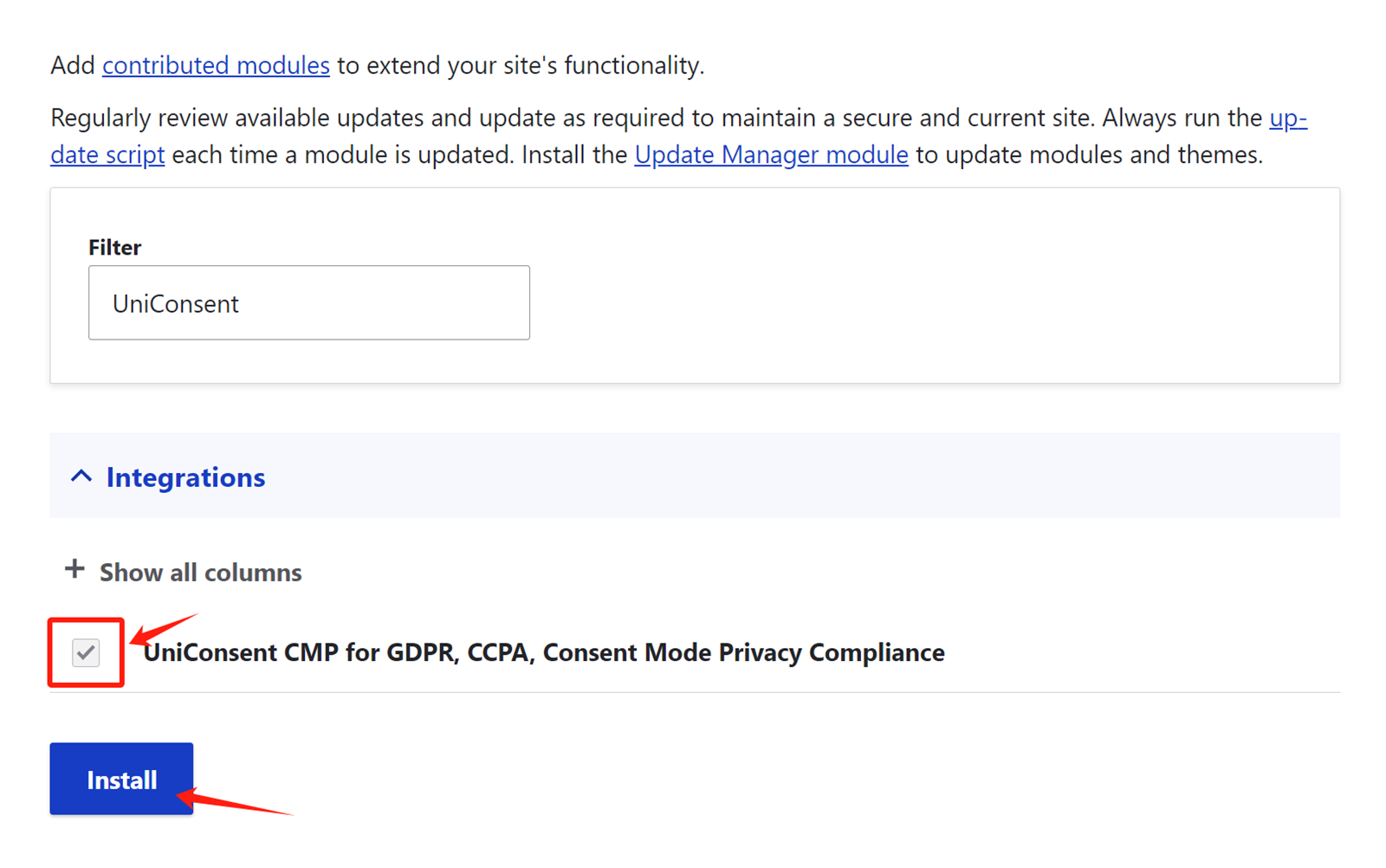
Click Install to activate the UniConsent banner across your site.