
Cookie-Einwilligungsbanner für HubSpot
Erreichen Sie mit UniConsent eine zuverlässige Datenschutz-Compliance auf HubSpot. Unsere nahtlose Integration stellt sicher, dass Ihre HubSpot-Website DSGVO, CCPA, LGPD und das EU-Cookie-Gesetz einhält.







Einrichtung
1. Holen Sie sich den UniConsent CMP-Installationscode
First, log in to your UniConsent account, go to Consent Manager > My Websites, and click Manage.
Second, click Install & Setup and copy the CMP code in the black area.

2. Schritte zum Hinzufügen des UniConsent-Banners auf einer HubSpot-Website
Begin by logging into your HubSpot account.
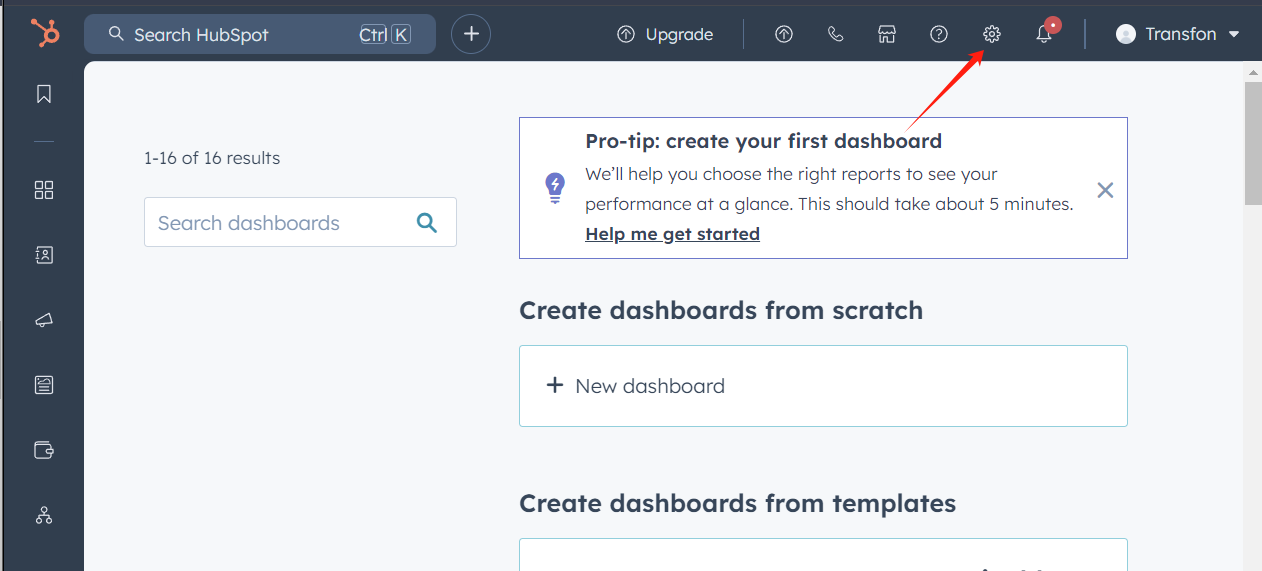
Select theSettingsicon from the top navigation bar.
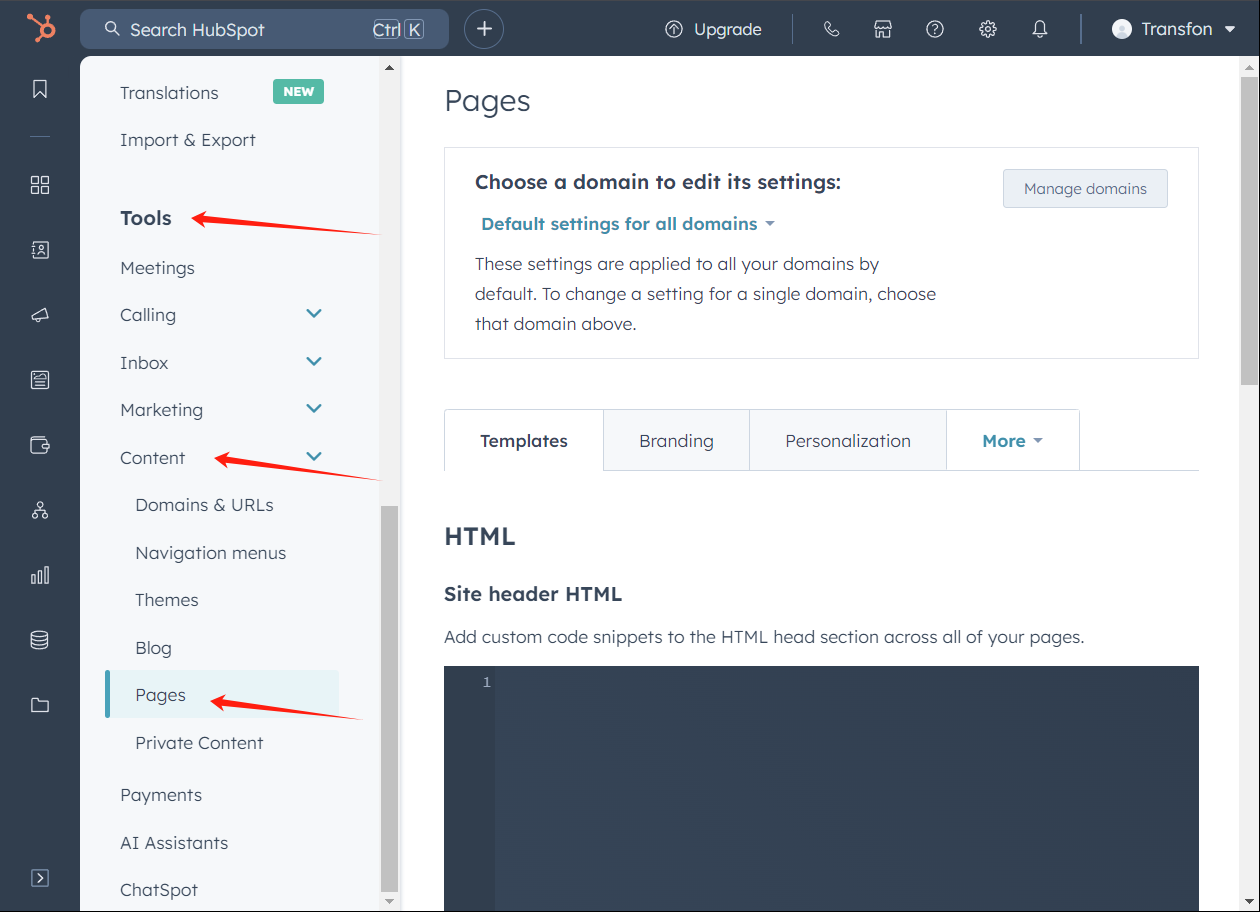
In the left sidebar menu, scroll toToolsand click onContent > Pages.
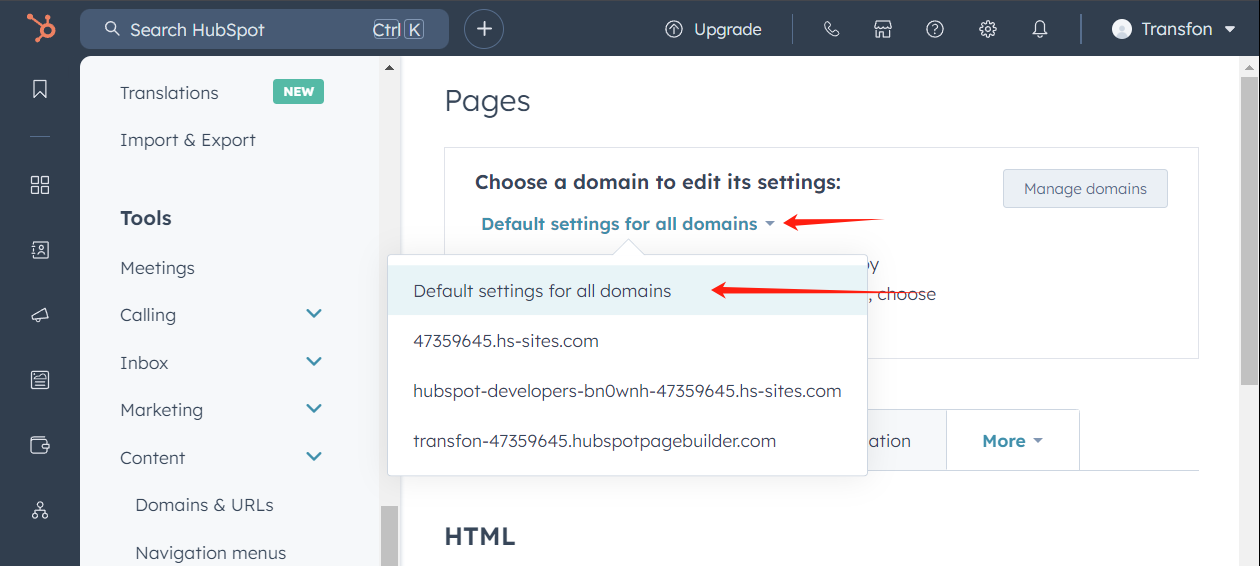
Next, in the Pages section, open the "Choose a domain to edit its settings" dropdown and choose the domain where you want to add UniConsent.
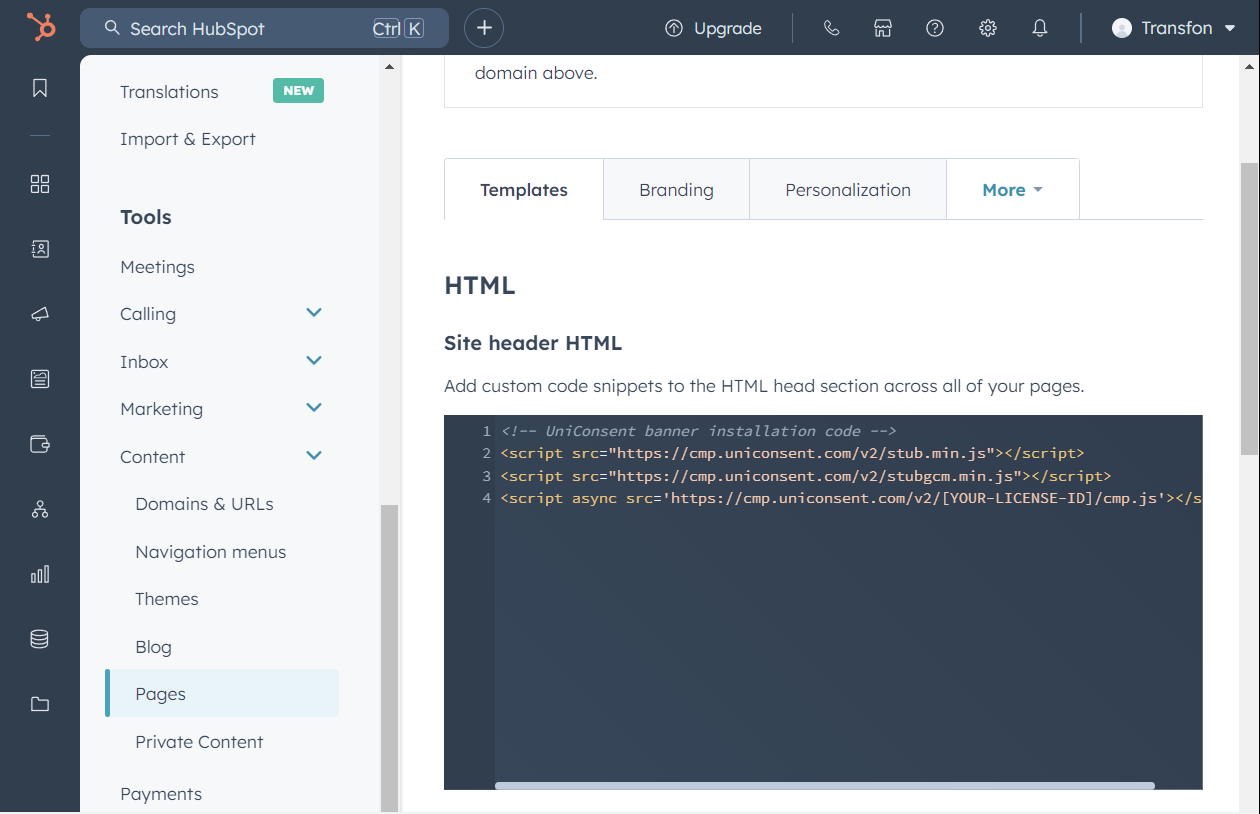
After selecting the domain, head to the Templates tab. Find the Site header HTML field and insert the UniConsent script there.
Click the Save button to apply your changes.

Once you see the message, “Success! Your web page settings were saved,” the setup is finished.