
HubSpot Cookie 同意横幅
通过 UniConsent 在 HubSpot 上实现强有力的数据隐私合规。我们的无缝集成确保您基于 HubSpot 的网站遵守 GDPR、CCPA、LGPD 和欧盟 Cookie 法。







如何设置
1. 获取 UniConsent CMP 安装代码
First, log in to your UniConsent account, go to Consent Manager > My Websites, and click Manage.
Second, click Install & Setup and copy the CMP code in the black area.

2. 在 HubSpot 网站上添加 UniConsent 横幅的步骤
Begin by logging into your HubSpot account.
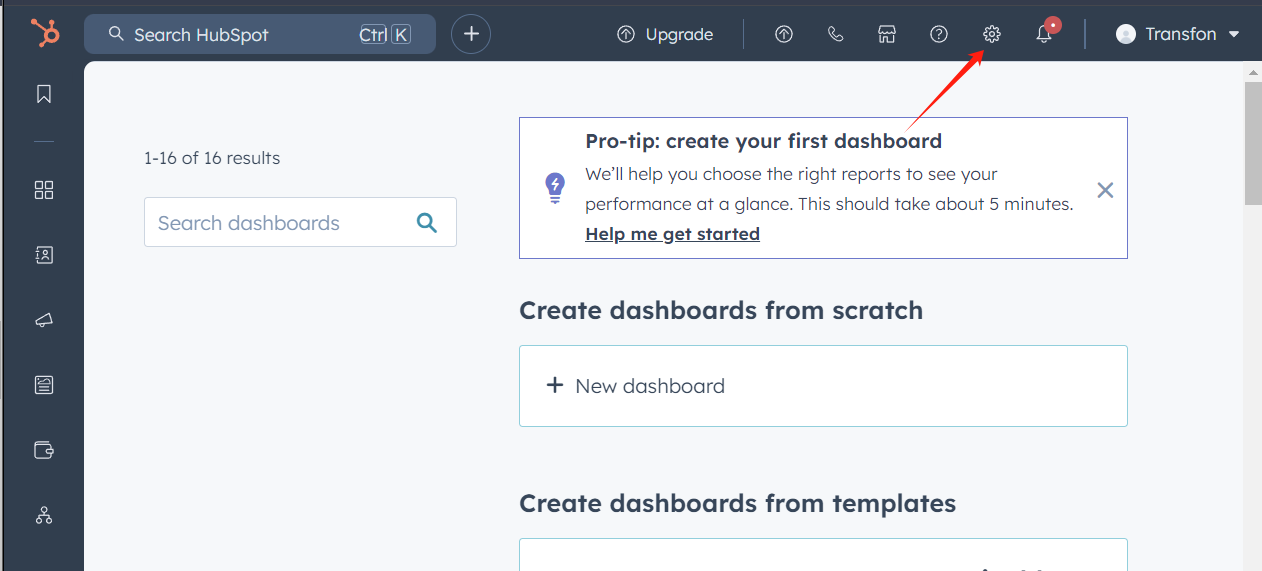
Select theSettingsicon from the top navigation bar.
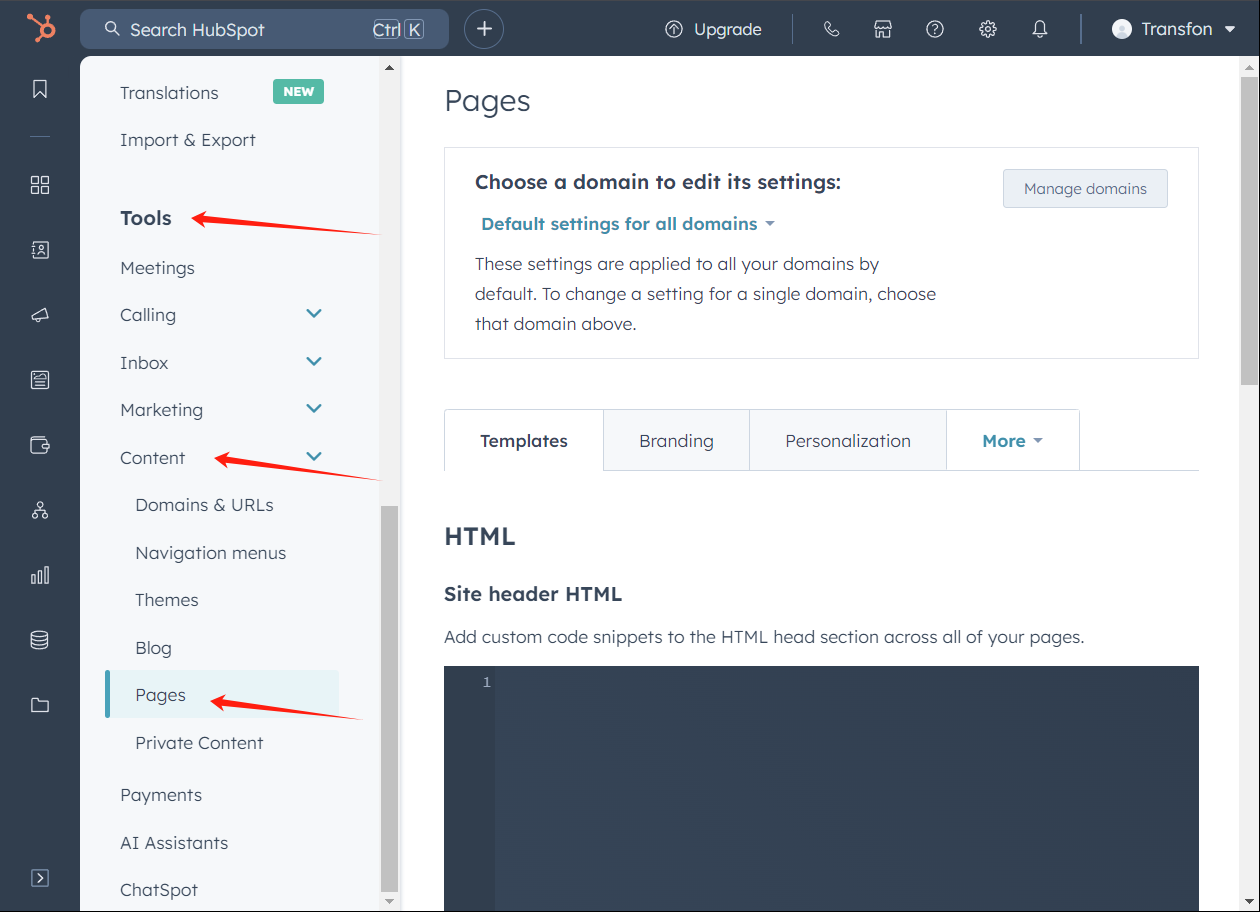
In the left sidebar menu, scroll toToolsand click onContent > Pages.
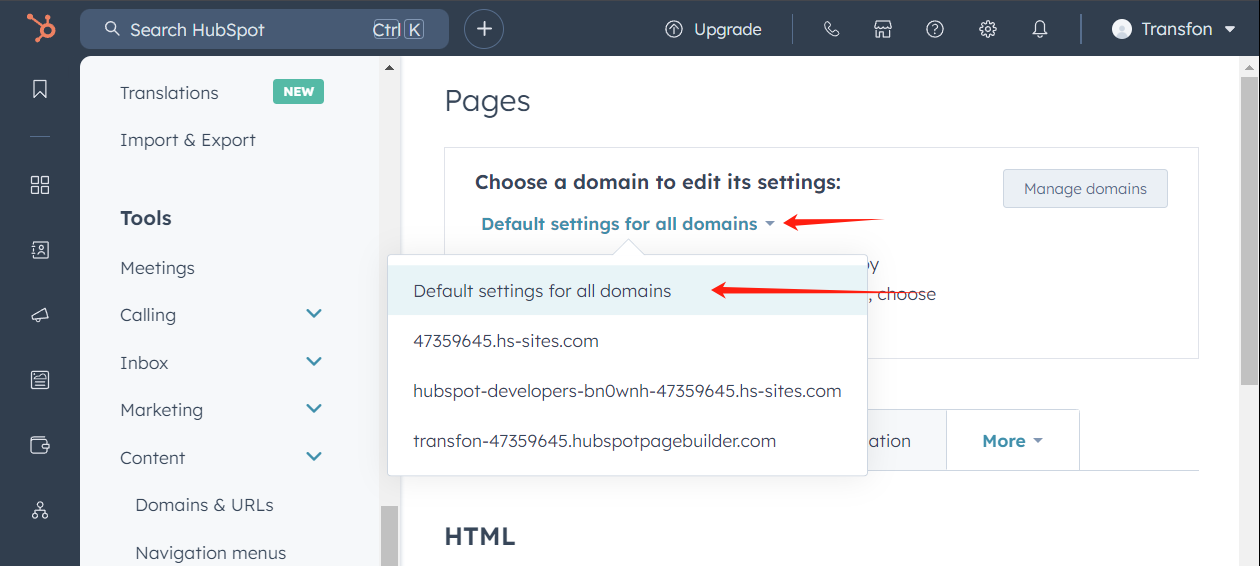
Next, in the Pages section, open the "Choose a domain to edit its settings" dropdown and choose the domain where you want to add UniConsent.
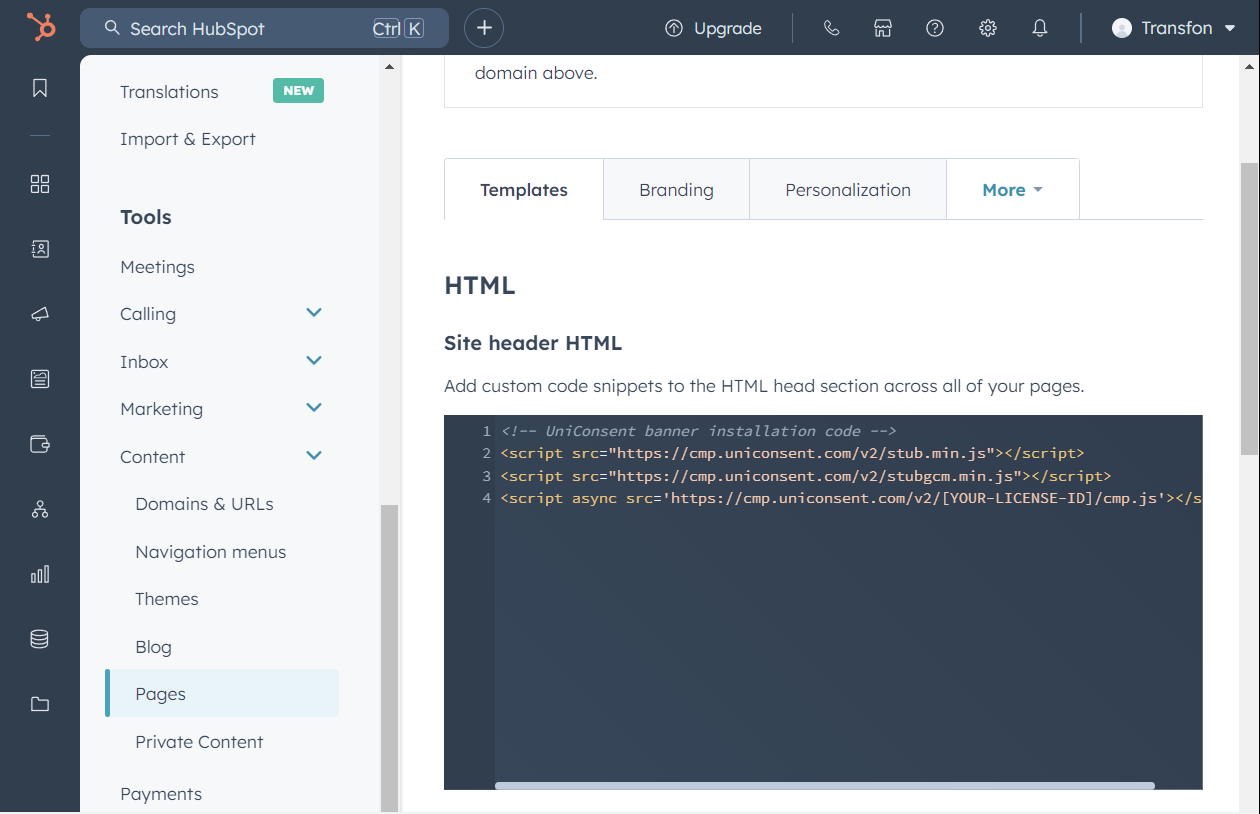
After selecting the domain, head to the Templates tab. Find the Site header HTML field and insert the UniConsent script there.
Click the Save button to apply your changes.

Once you see the message, “Success! Your web page settings were saved,” the setup is finished.