
Banner de Consentimiento de Cookies para HubSpot
Logra un sólido cumplimiento de la privacidad de datos en HubSpot con UniConsent. Nuestra integración sin complicaciones garantiza que tu sitio web basado en HubSpot cumpla con el RGPD, la CCPA, la LGPD y la Ley de Cookies de la UE.







Cómo configurarlo
1. Obtén el código de instalación de la CMP de UniConsent
First, log in to your UniConsent account, go to Consent Manager > My Websites, and click Manage.
Second, click Install & Setup and copy the CMP code in the black area.

2. Pasos para añadir el banner de UniConsent en un sitio web de HubSpot
Begin by logging into your HubSpot account.
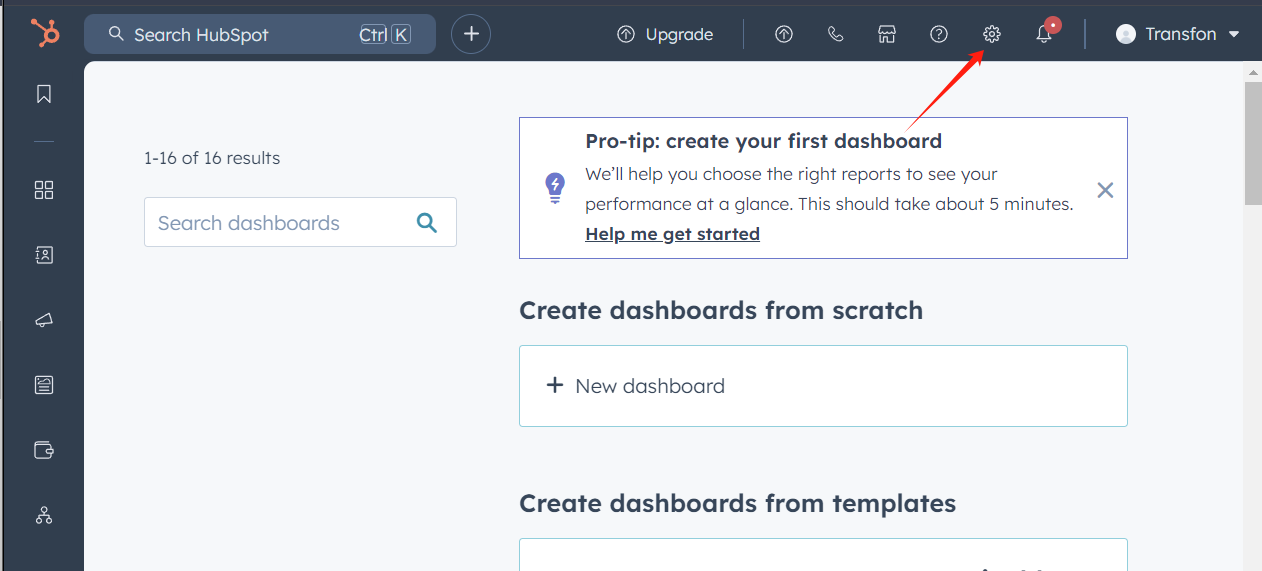
Select theSettingsicon from the top navigation bar.
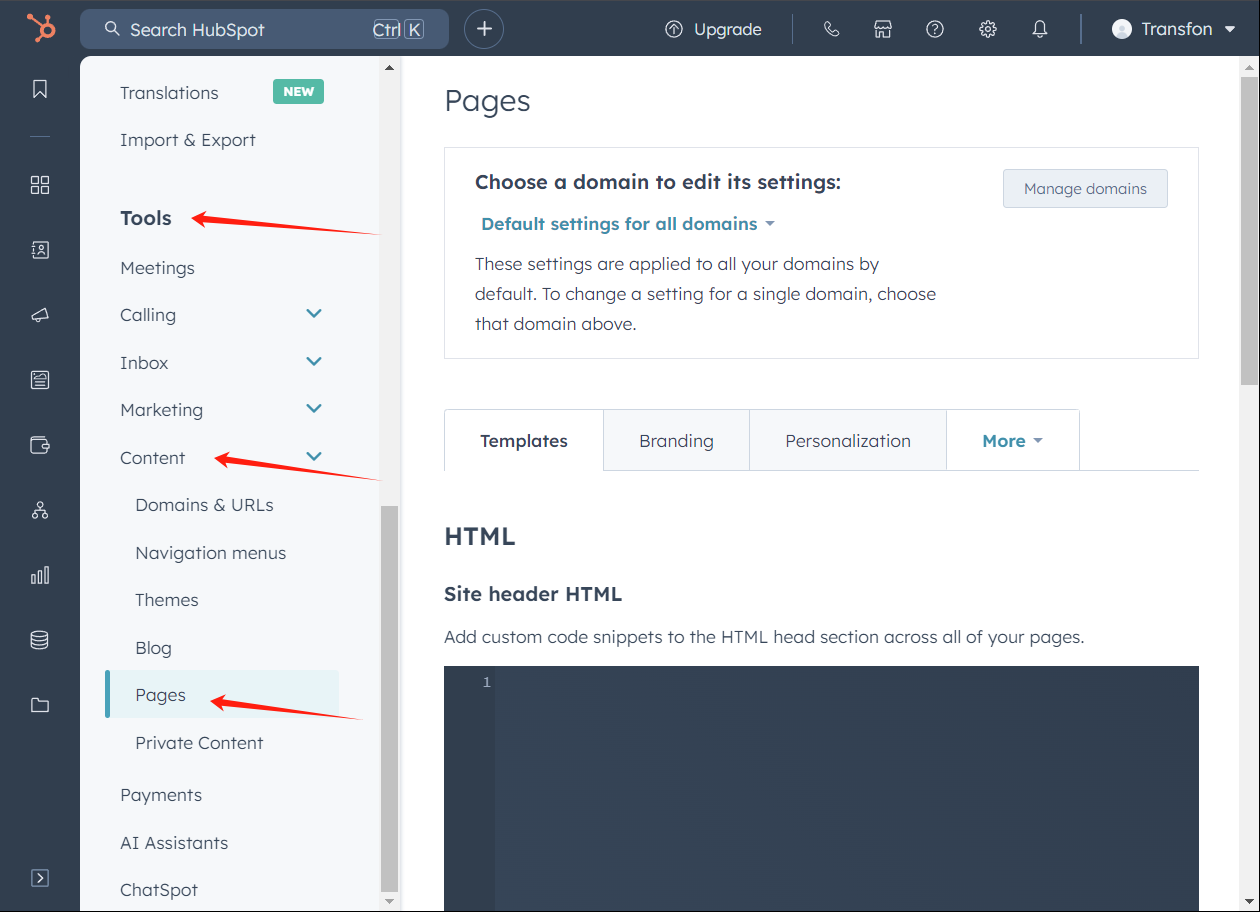
In the left sidebar menu, scroll toToolsand click onContent > Pages.
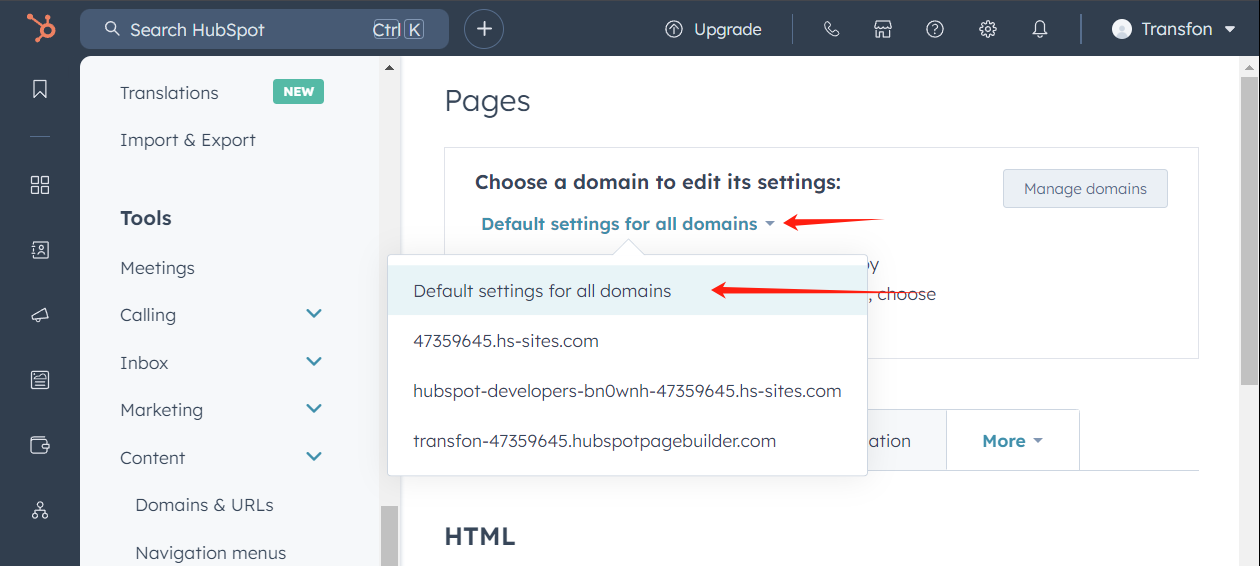
Next, in the Pages section, open the "Choose a domain to edit its settings" dropdown and choose the domain where you want to add UniConsent.
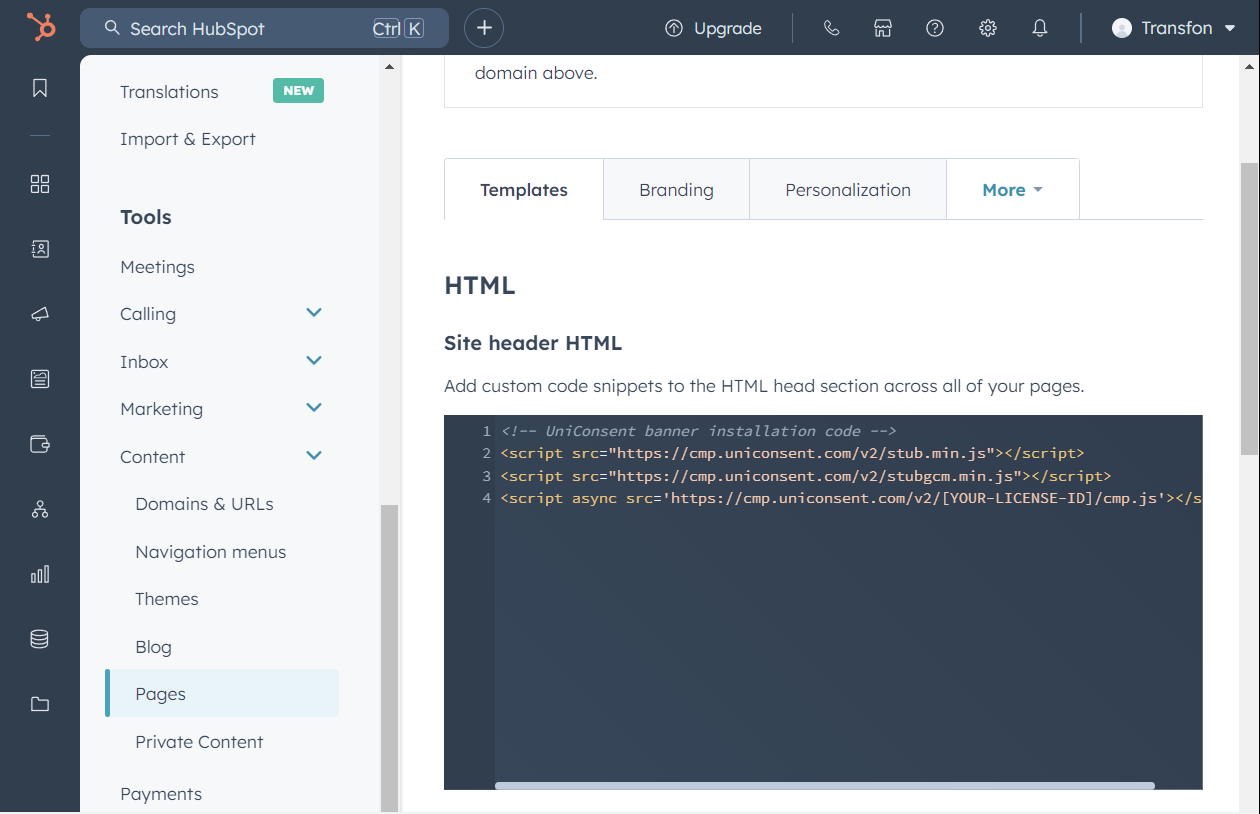
After selecting the domain, head to the Templates tab. Find the Site header HTML field and insert the UniConsent script there.
Click the Save button to apply your changes.

Once you see the message, “Success! Your web page settings were saved,” the setup is finished.