
Cookie-Einwilligungsbanner für Squarespace
Fügen Sie Ihrer Squarespace-Website ganz einfach einen Cookie-Banner hinzu, indem Sie UniConsent integrieren. Stellen Sie die Einhaltung von DSGVO, CCPA, LGPD und EU-Cookie-Richtlinie für Ihre Squarespace-Website sicher.







Einrichtung
1. Holen Sie sich den UniConsent CMP-Installationscode
First, log in to your UniConsent account, go to Consent Manager > My Websites, and click Manage.
Second, click Install & Setup and copy the CMP code in the black area.

2. Hinzufügen des UniConsent-Banners zu Squarespace
To add the banner, login to your Squarespace website
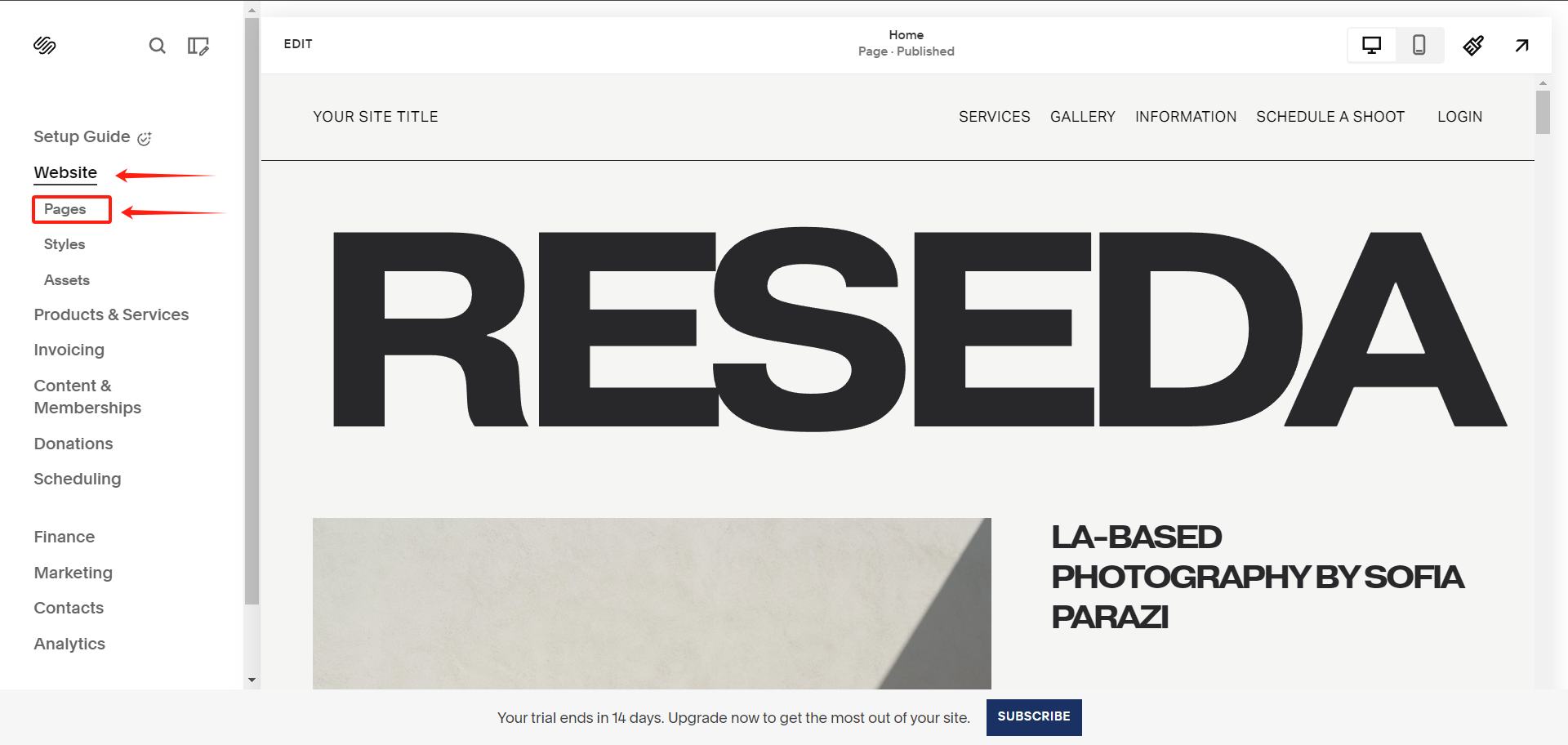
On your Squarespace dashboard, click on Website > Pages from the left sidebar.
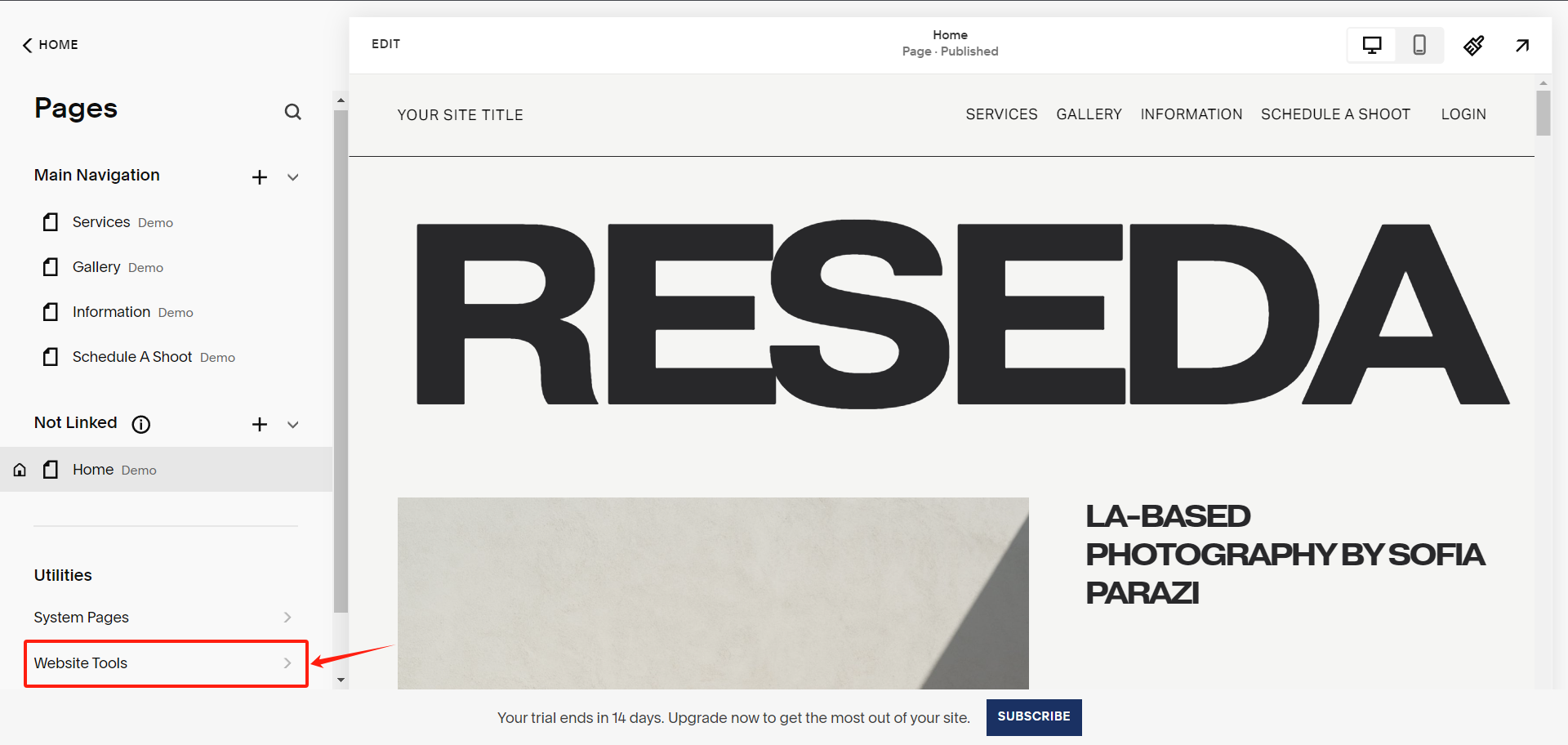
Under Pages, select Website Tools
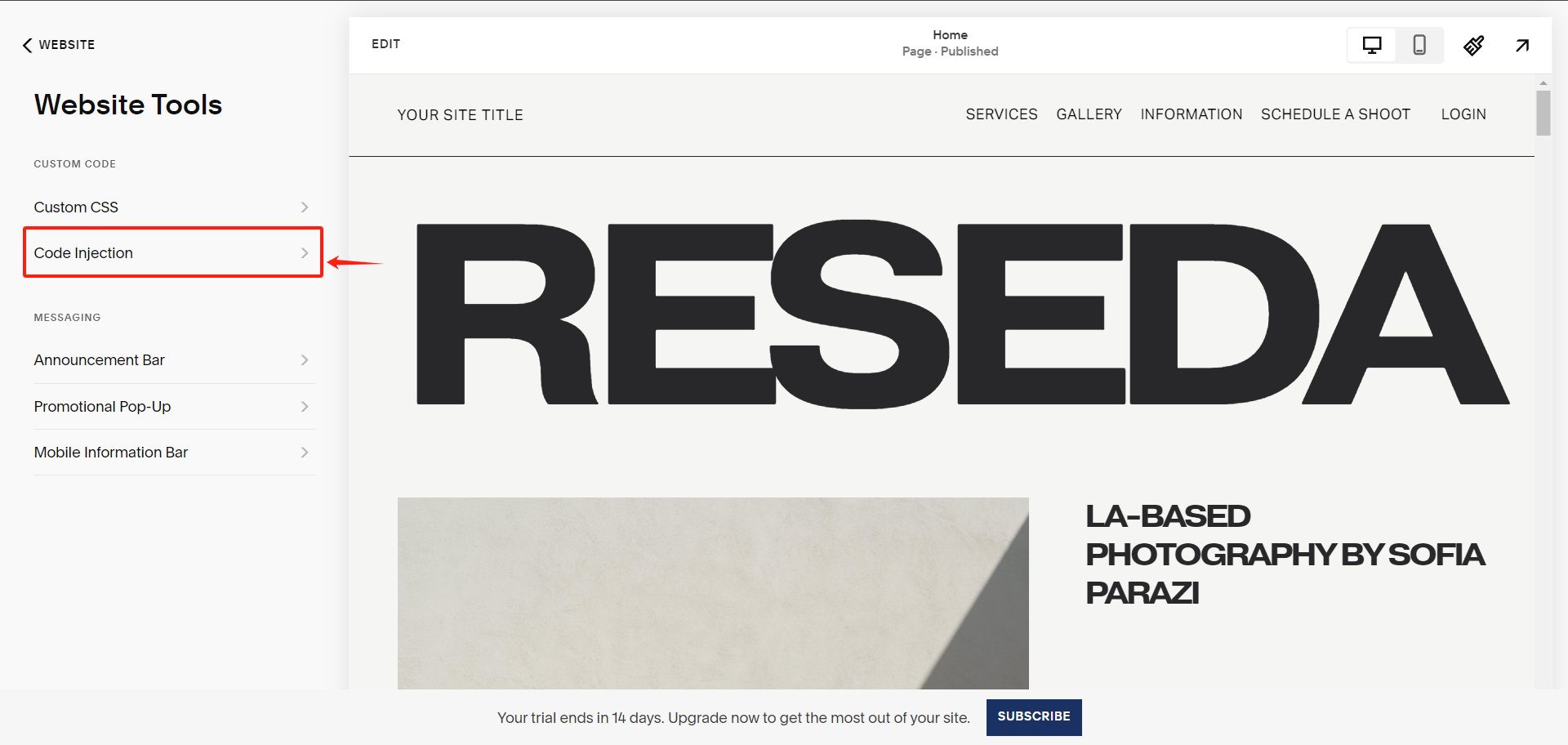
Under Website Tools, select Code Injection
Under Code Injection, paste the UniConsent CMP code into the Header textarea.
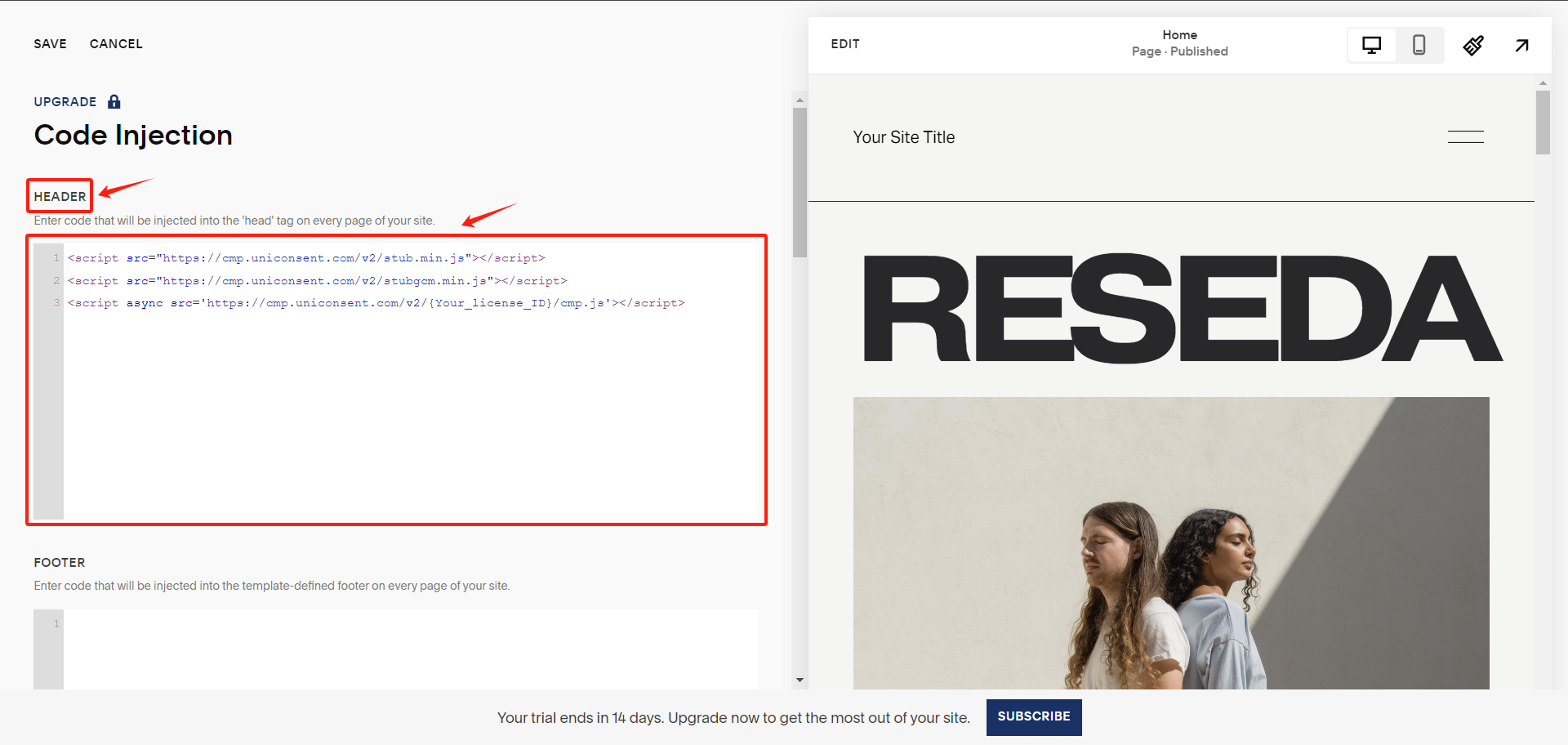
Finally, save your changes to apply the UniConsent banner site-wide on your Squarespace website.