
Banner del consenso ai cookie per SquareSpace
Aggiungi facilmente un banner dei cookie al tuo sito Squarespace integrando UniConsent. Garantisci la conformità del tuo sito Squarespace a GDPR, CCPA, LGPD e alla normativa UE sui cookie.
Istruzioni







Come configurarlo
1. Ottieni il codice di installazione di UniConsent CMP
First, log in to your UniConsent account, go to Consent Manager > My Websites, and click Manage.
Second, click Install & Setup and copy the CMP code in the black area.

2. Aggiungere il banner UniConsent a Squarespace
To add the banner, login to your Squarespace website
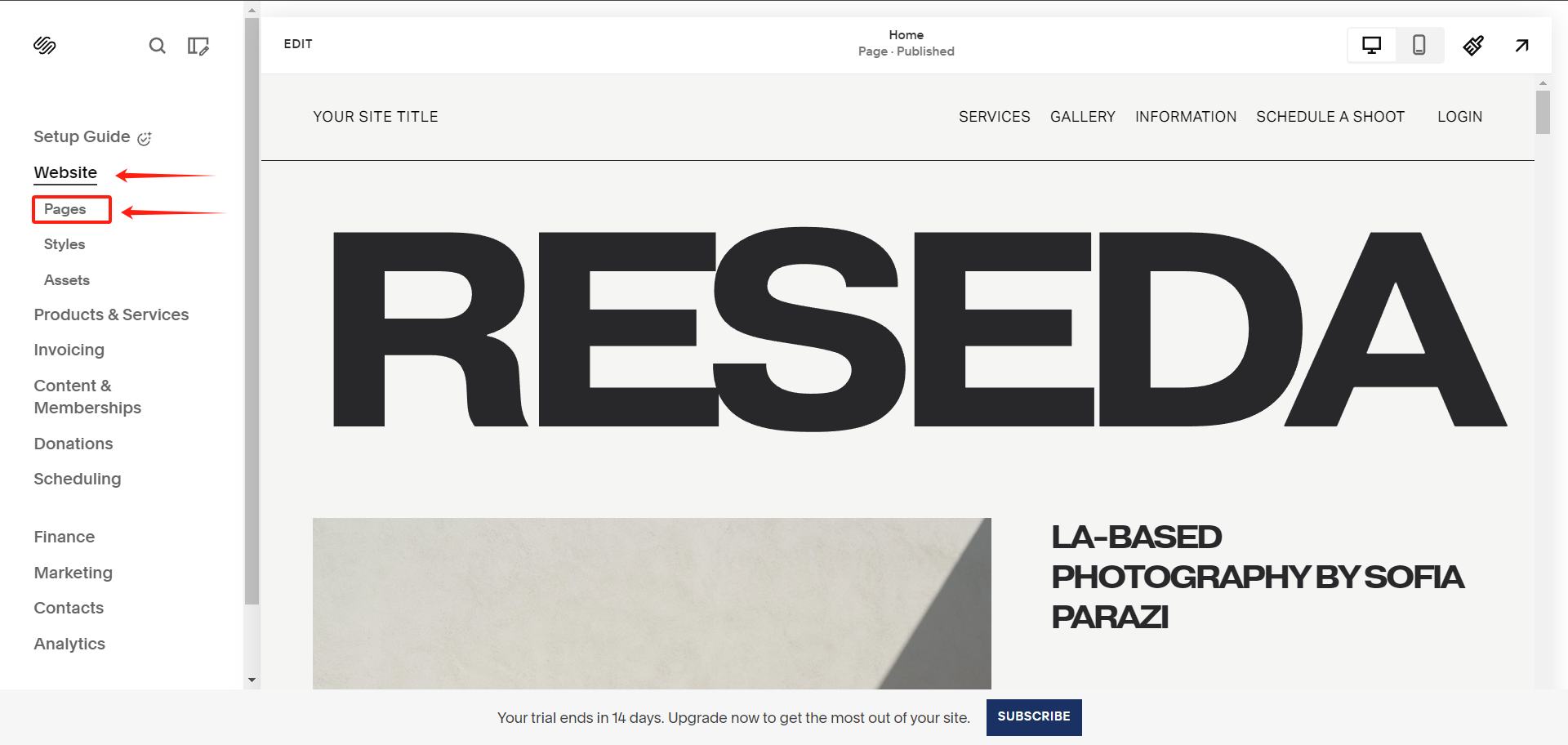
On your Squarespace dashboard, click on Website > Pages from the left sidebar.
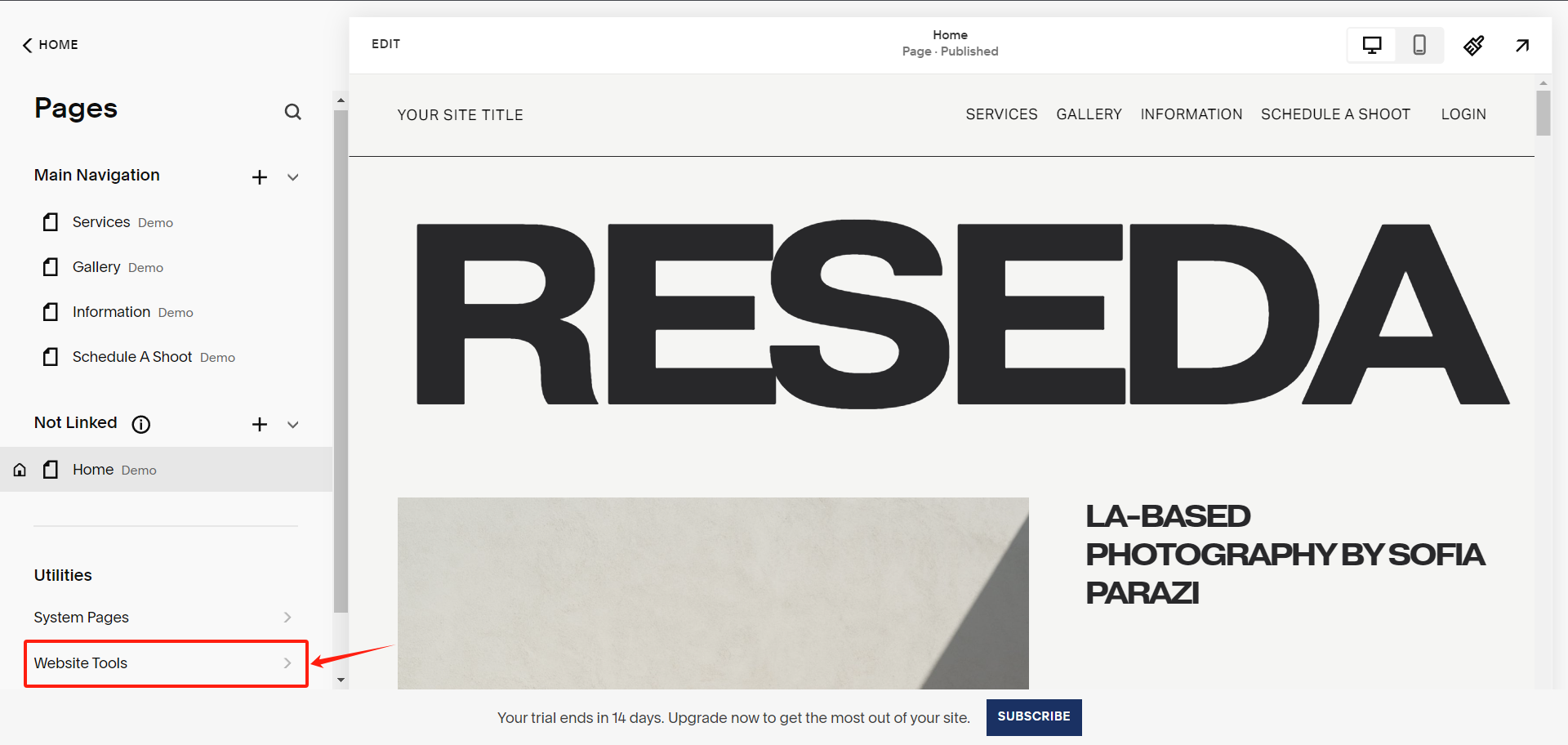
Under Pages, select Website Tools
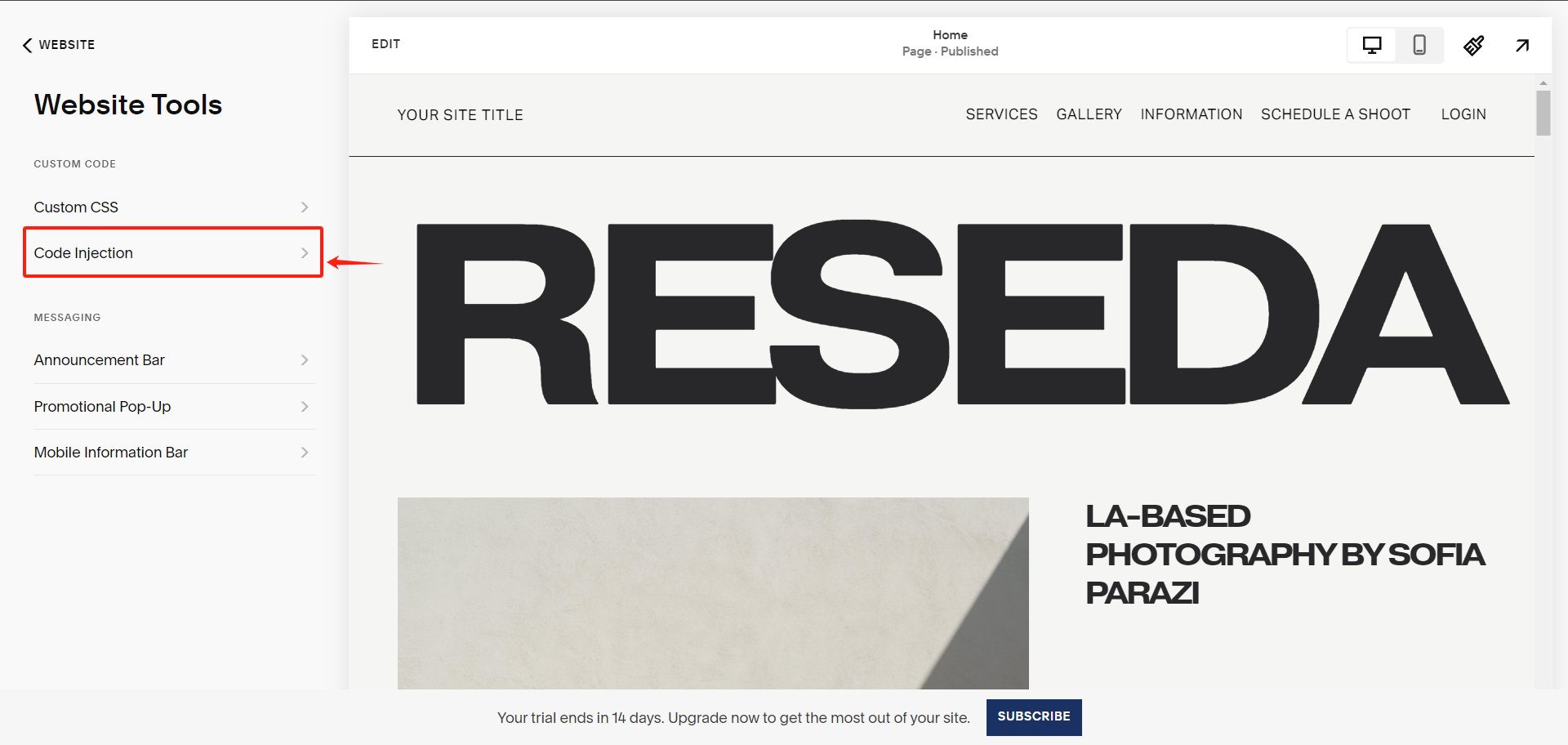
Under Website Tools, select Code Injection
Under Code Injection, paste the UniConsent CMP code into the Header textarea.
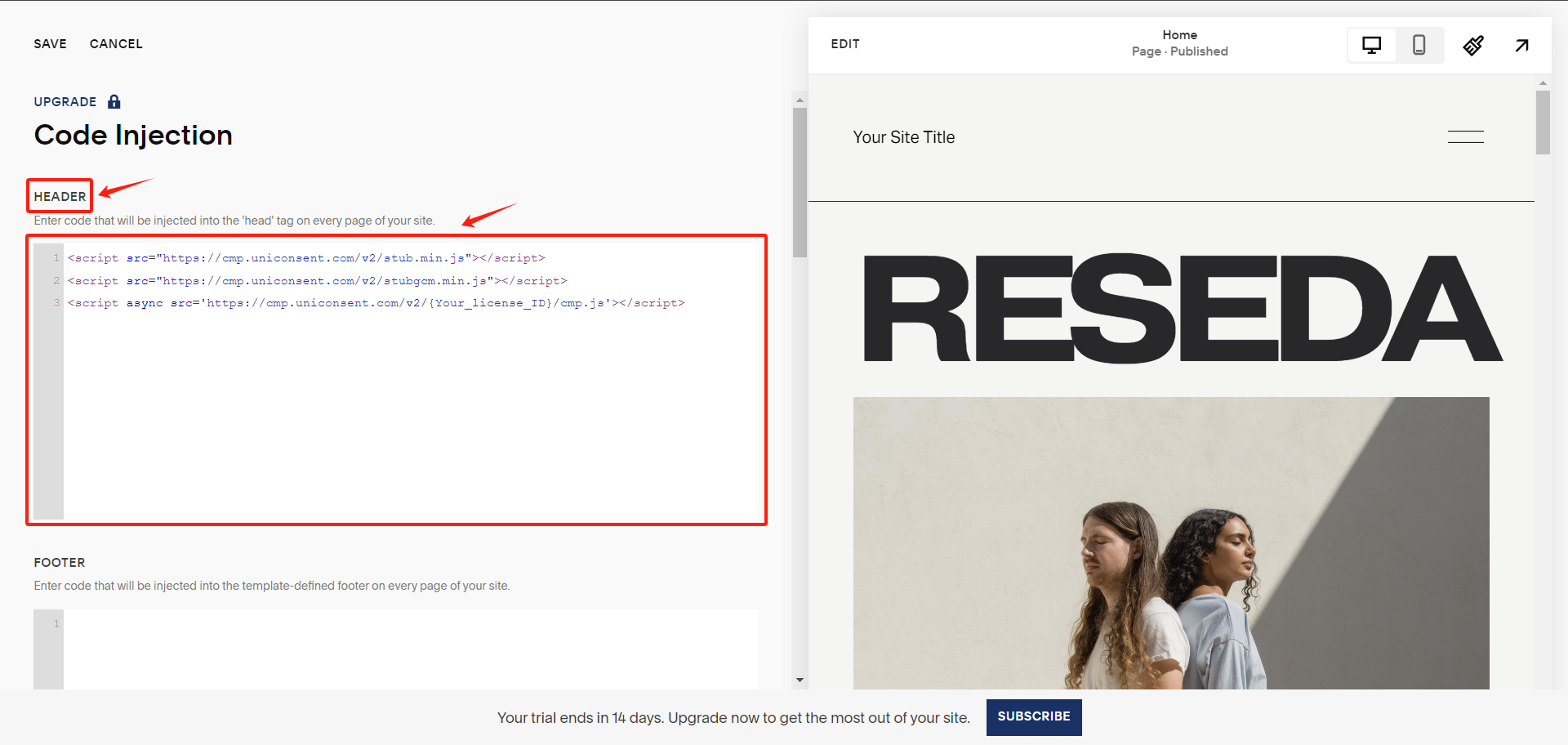
Finally, save your changes to apply the UniConsent banner site-wide on your Squarespace website.