
SquareSpace Cookie 同意横幅
通过集成 UniConsent,轻松为您的 Squarespace 网站添加 Cookie 横幅。确保您的 Squarespace 网站符合 GDPR、CCPA、LGPD 和欧盟 Cookie 法。
说明







如何设置
1. 获取 UniConsent CMP 安装代码
First, log in to your UniConsent account, go to Consent Manager > My Websites, and click Manage.
Second, click Install & Setup and copy the CMP code in the black area.

2. 将 UniConsent 横幅添加到 Squarespace
To add the banner, login to your Squarespace website
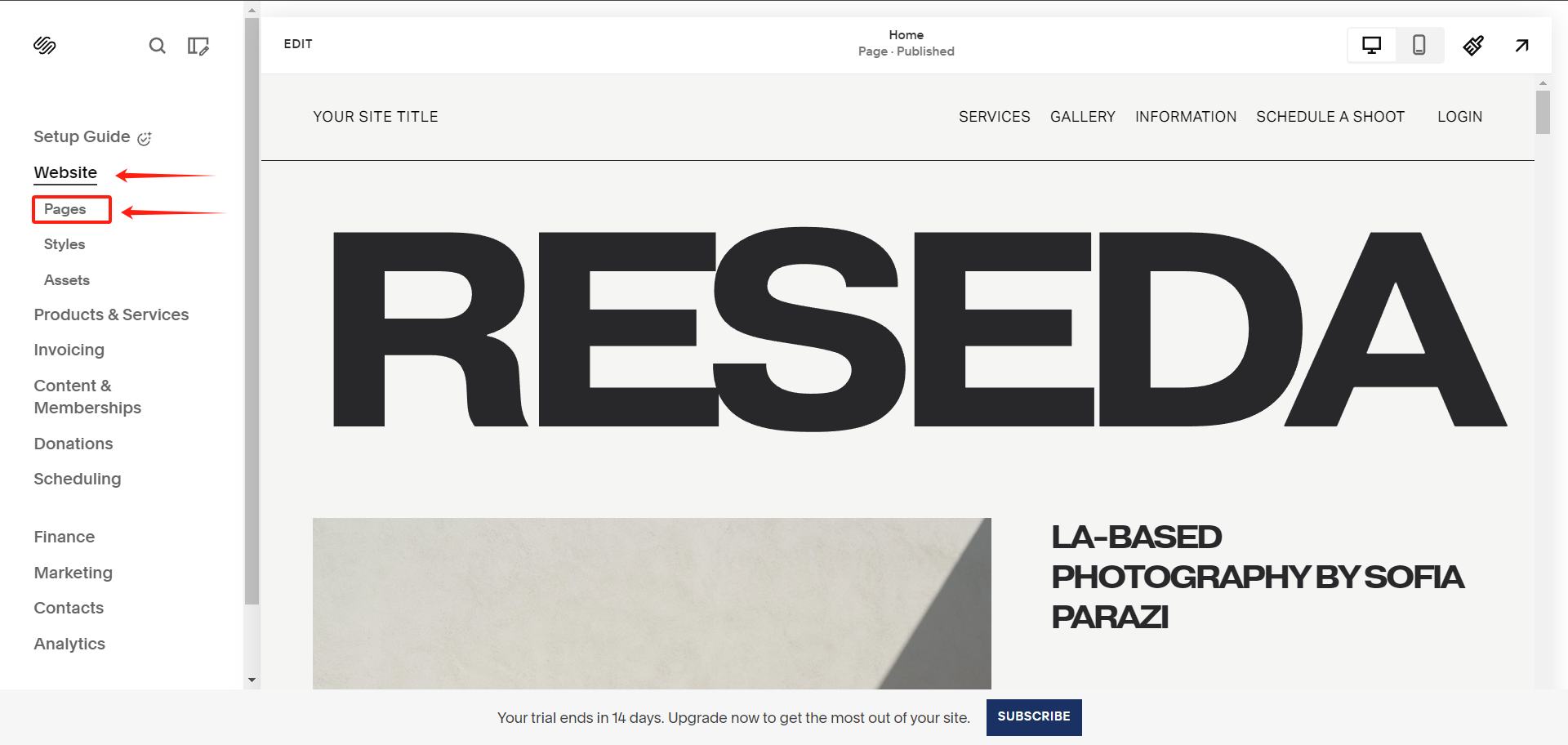
On your Squarespace dashboard, click on Website > Pages from the left sidebar.
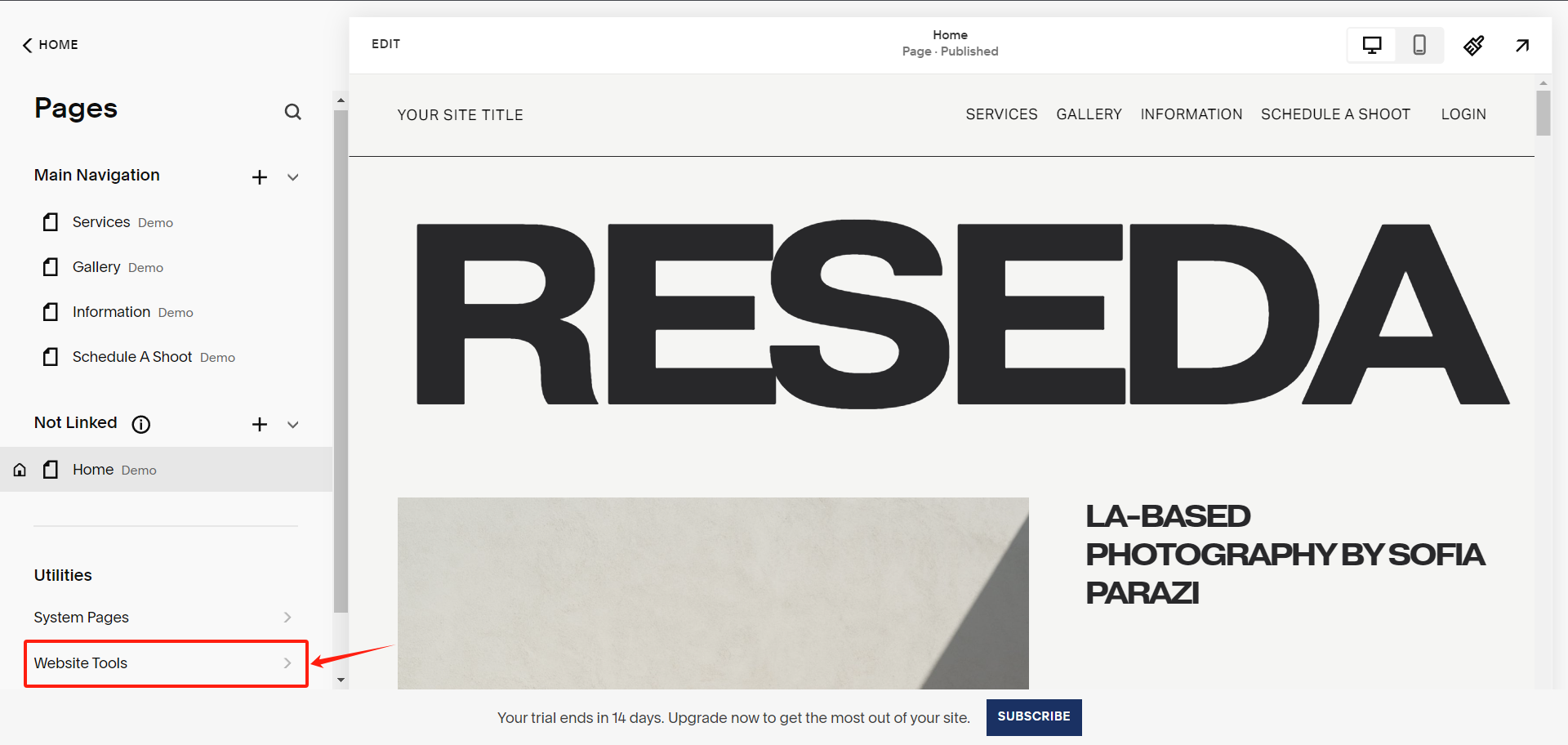
Under Pages, select Website Tools
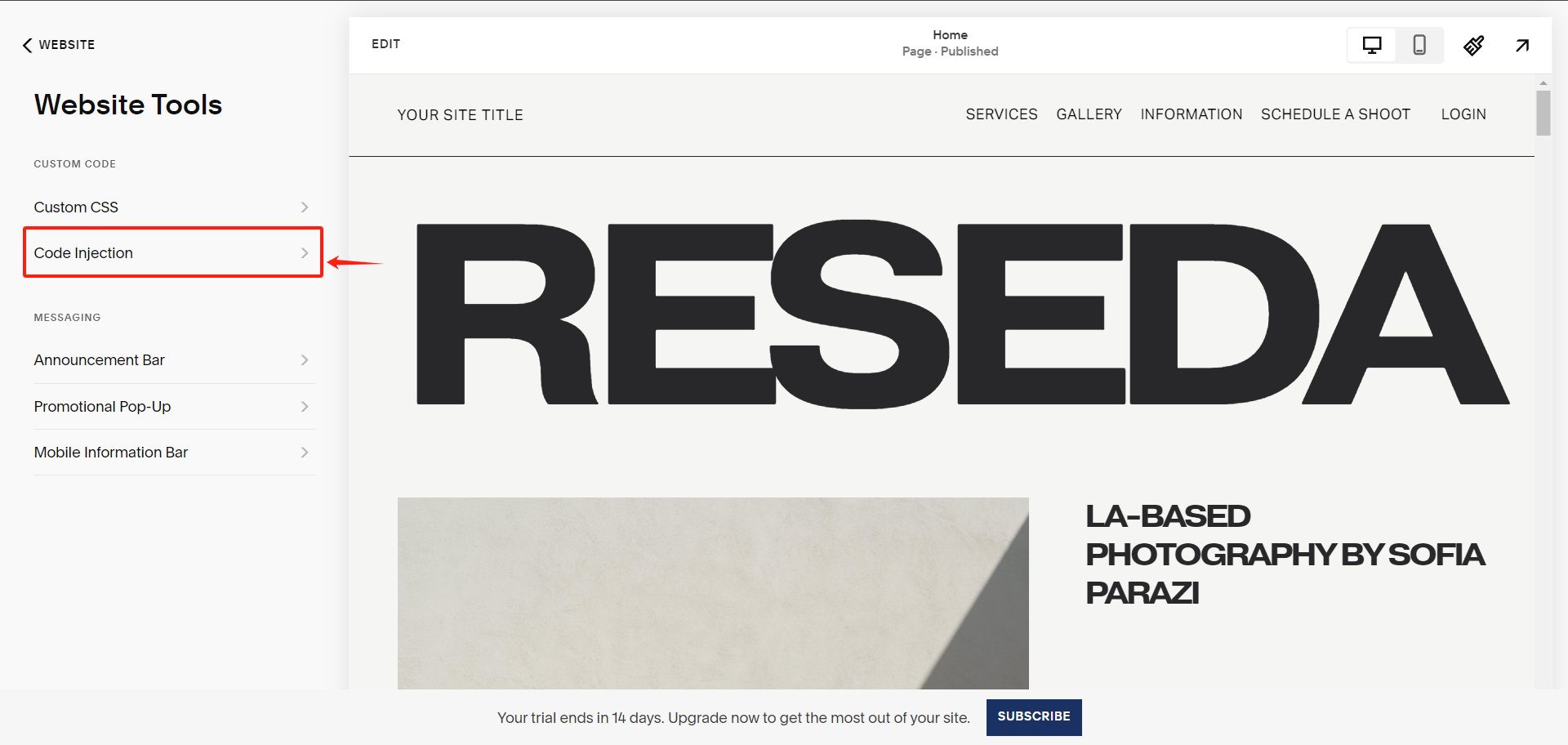
Under Website Tools, select Code Injection
Under Code Injection, paste the UniConsent CMP code into the Header textarea.
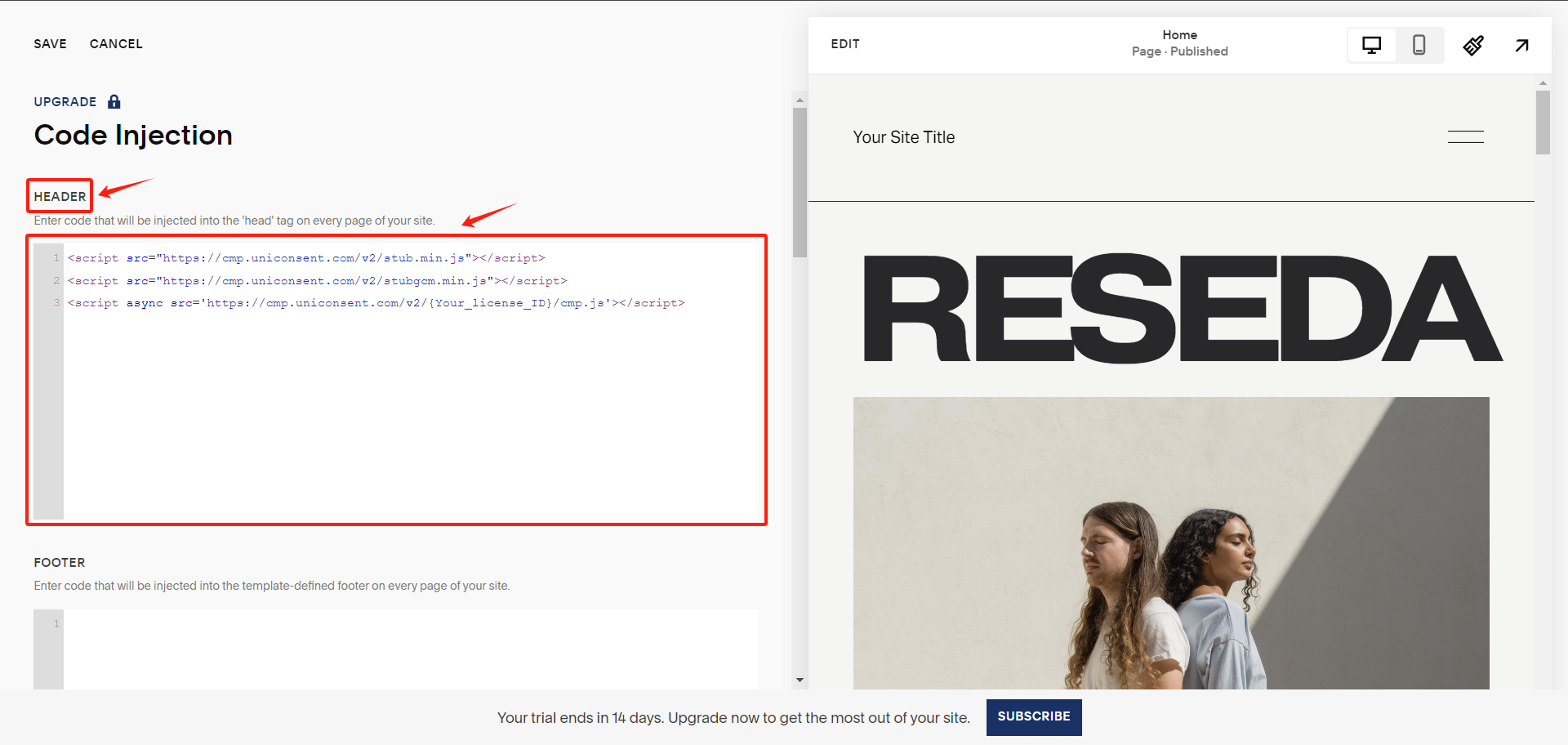
Finally, save your changes to apply the UniConsent banner site-wide on your Squarespace website.