Cookie-Einwilligungsbanner für Weebly
Erreichen Sie die Einhaltung von DSGVO, CCPA, LGPD und EU-Cookie-Richtlinie auf Weebly durch die Integration von UniConsent. Fügen Sie Ihrer Weebly-Website mühelos einen Cookie-Compliance-Banner hinzu.







Einrichtung
1. Holen Sie sich den UniConsent CMP-Installationscode
First, log in to your UniConsent account, go to Consent Manager > My Websites, and click Manage.
Second, click Install & Setup and copy the CMP code in the black area.

2. UniConsent-Banner auf einer Weebly-Website hinzufügen
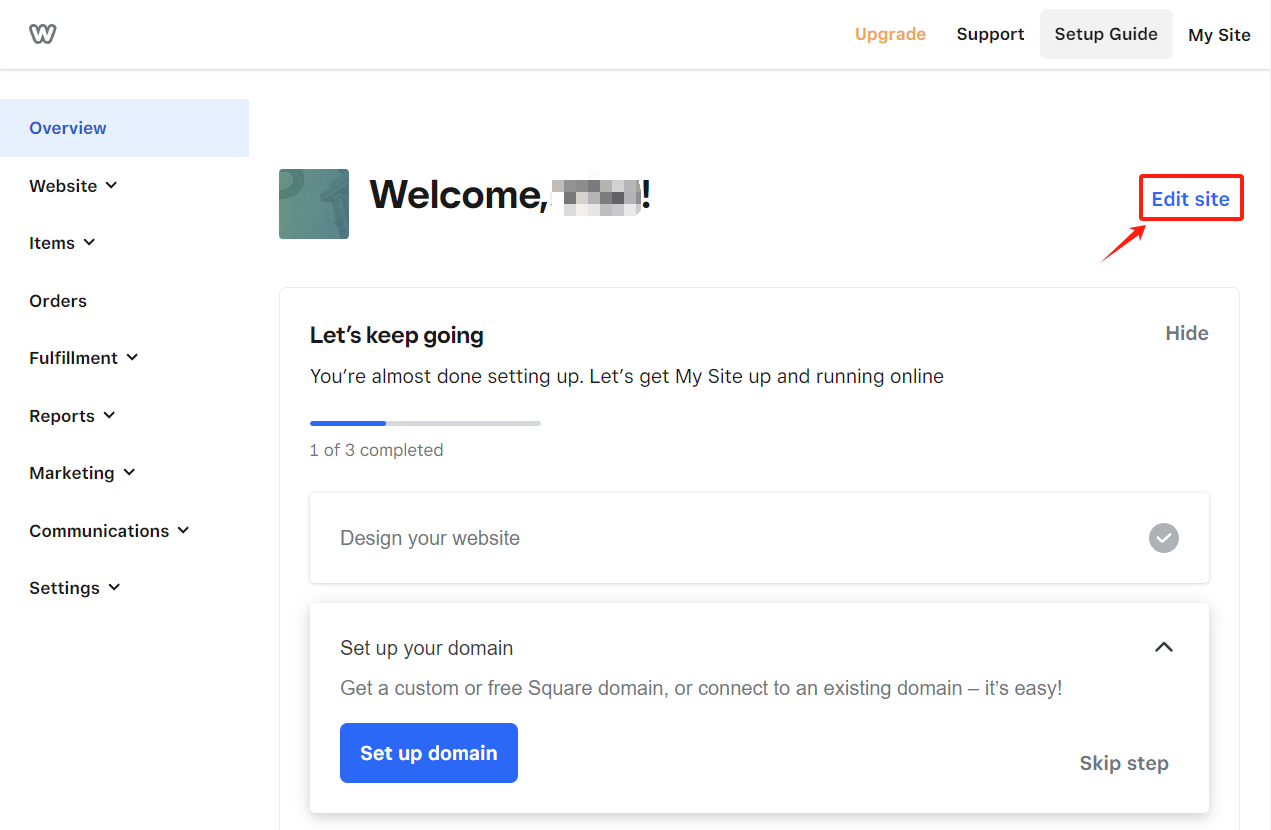
Log in to your Weebly account and click on theEdit Site button in the top-right corner.
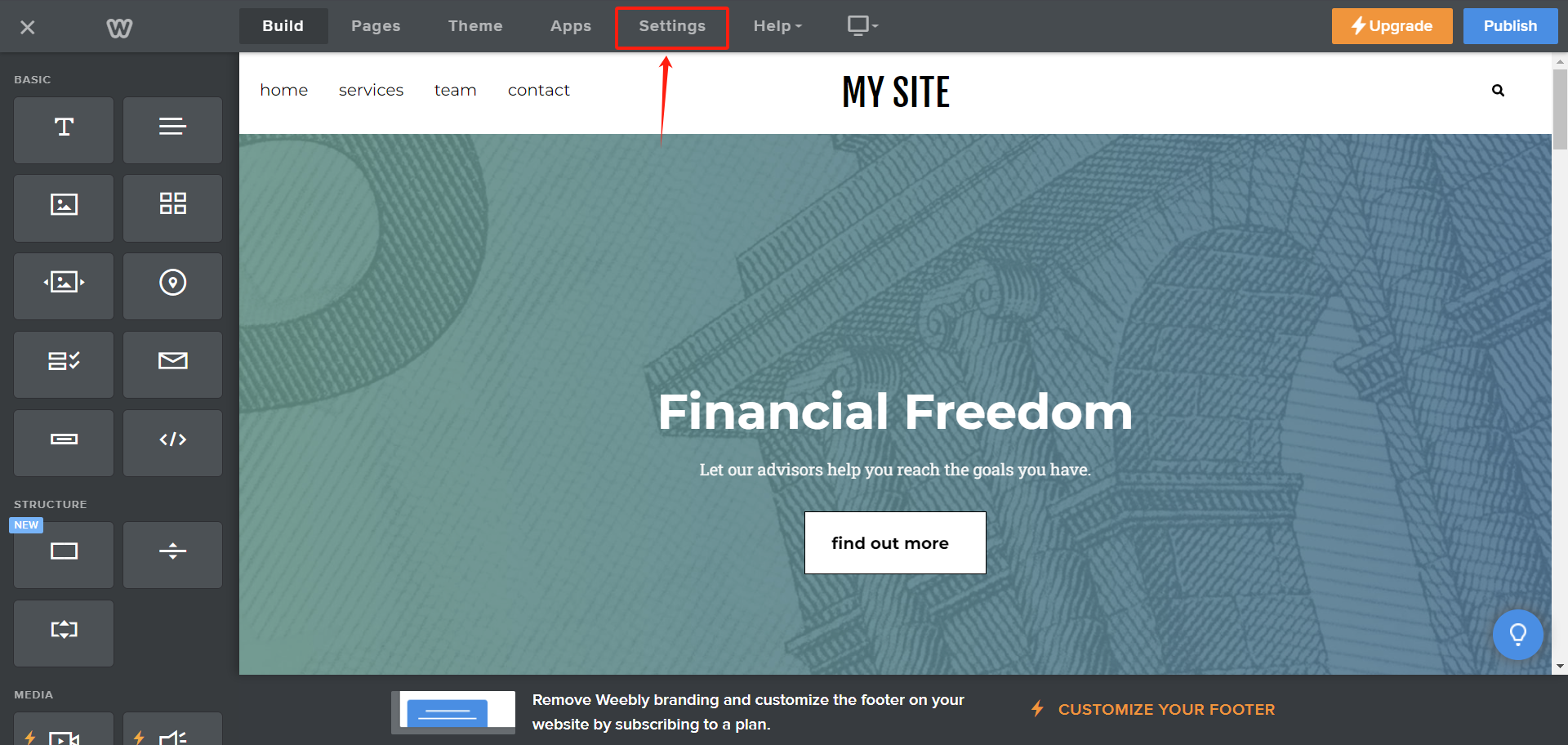
On the Edit page, click the Settings tab in the navigation bar.
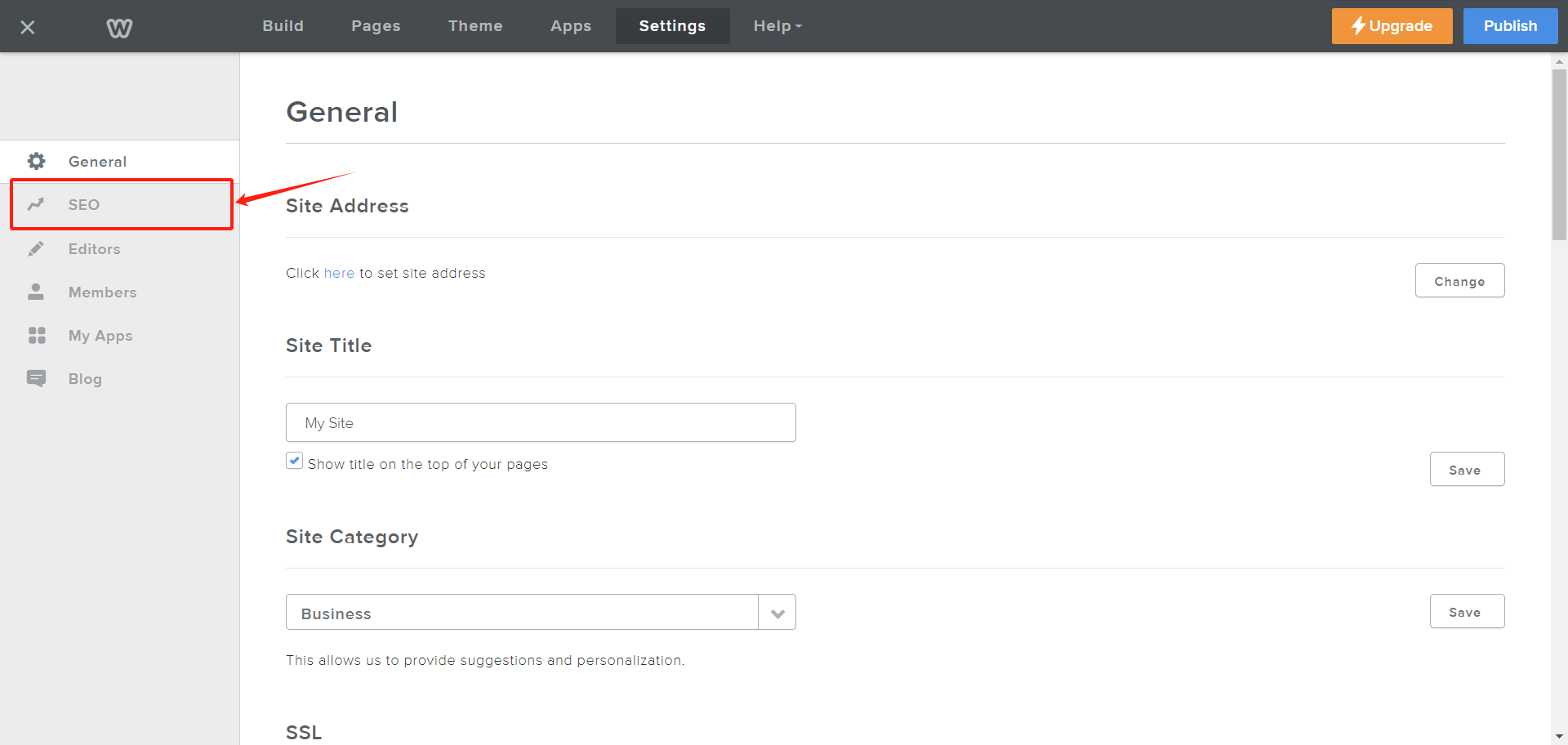
On the Settings page, click on SEO from the left navbar.
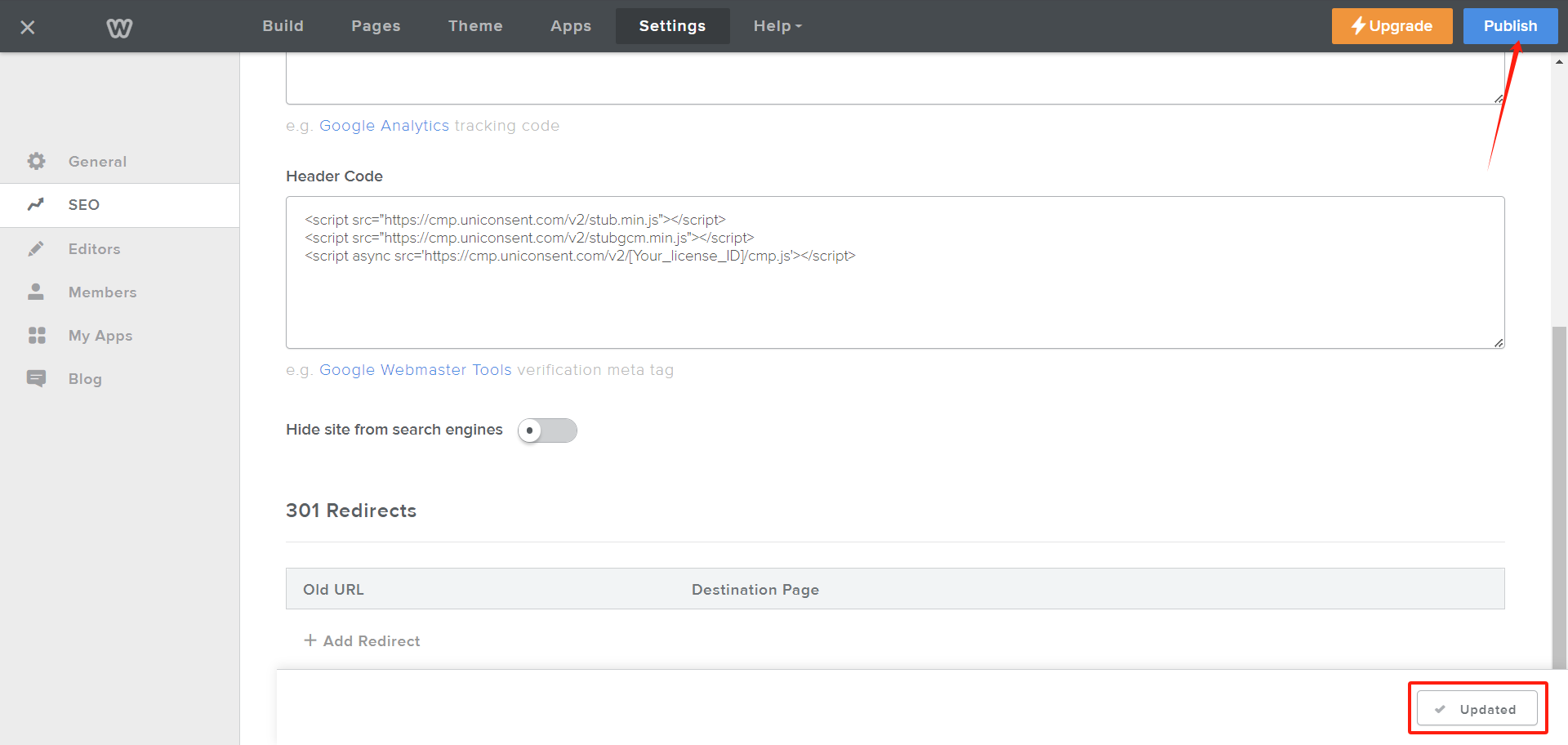
On the SEO page, scroll down to the Header Code textarea. Paste your UniConsent CMP code into the textarea and click the Save button at the bottom of the page.
After clicking the Save button, it will change to Updated. Then, click Publish in the top-right corner to activate the UniConsent banner across your Weebly site.