Bannière de consentement aux cookies Weebly
Obtenez la conformité au RGPD, au CCPA, à la LGPD et à la loi européenne sur les cookies sur Weebly en intégrant UniConsent. Ajoutez sans effort une bannière de conformité aux cookies à votre site propulsé par Weebly.







Comment configurer
1. Obtenir le code d'installation d'UniConsent CMP
First, log in to your UniConsent account, go to Consent Manager > My Websites, and click Manage.
Second, click Install & Setup and copy the CMP code in the black area.

2. Ajouter la bannière UniConsent sur un site web Weebly
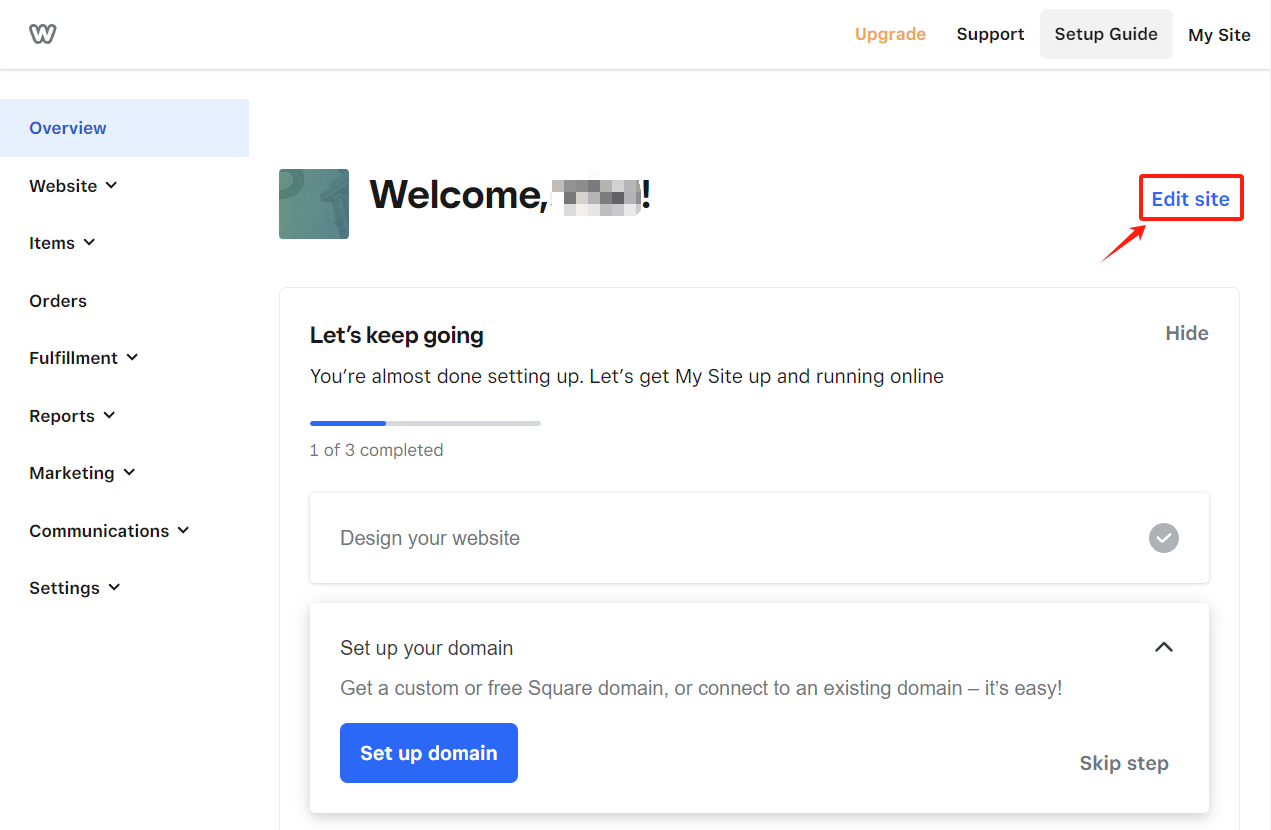
Log in to your Weebly account and click on theEdit Site button in the top-right corner.
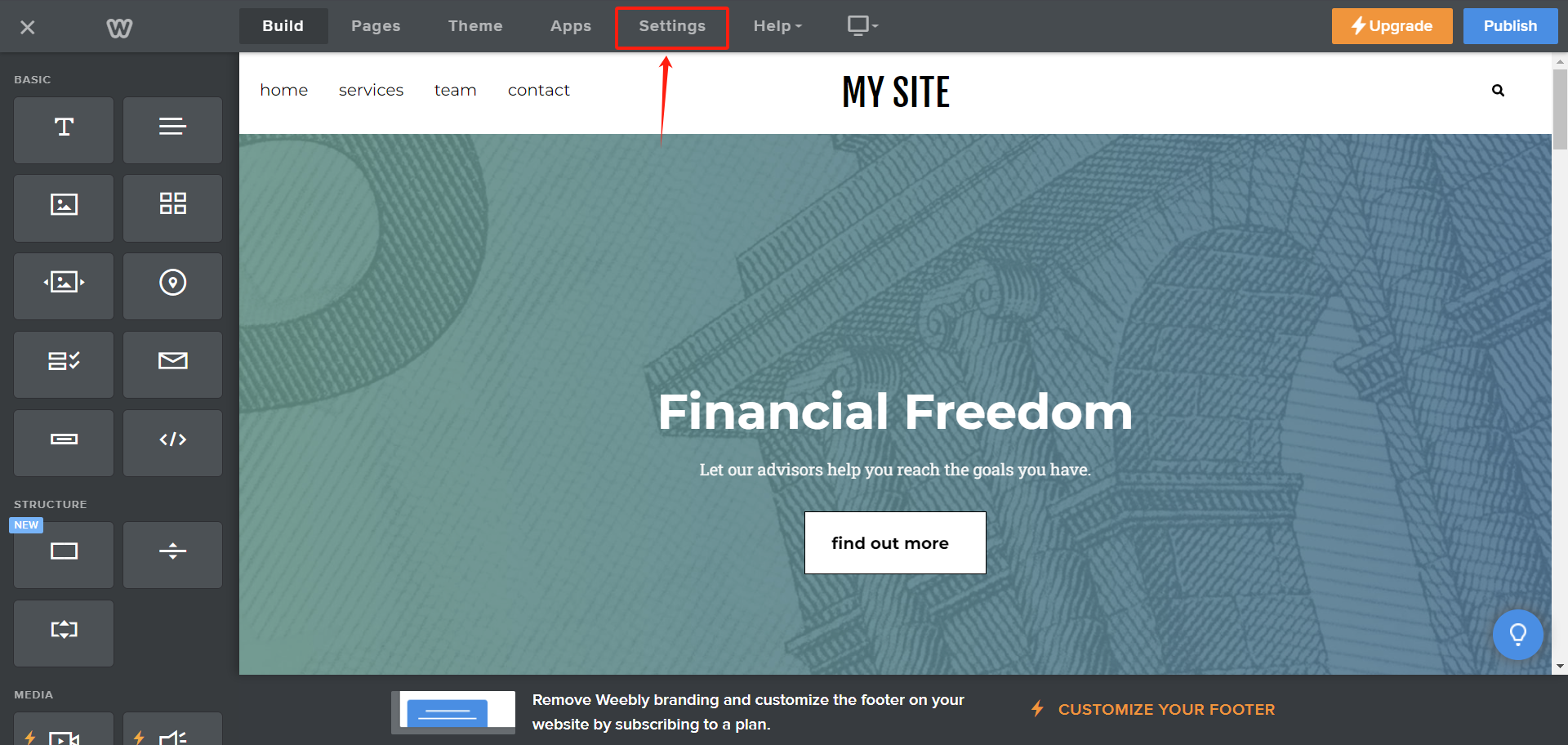
On the Edit page, click the Settings tab in the navigation bar.
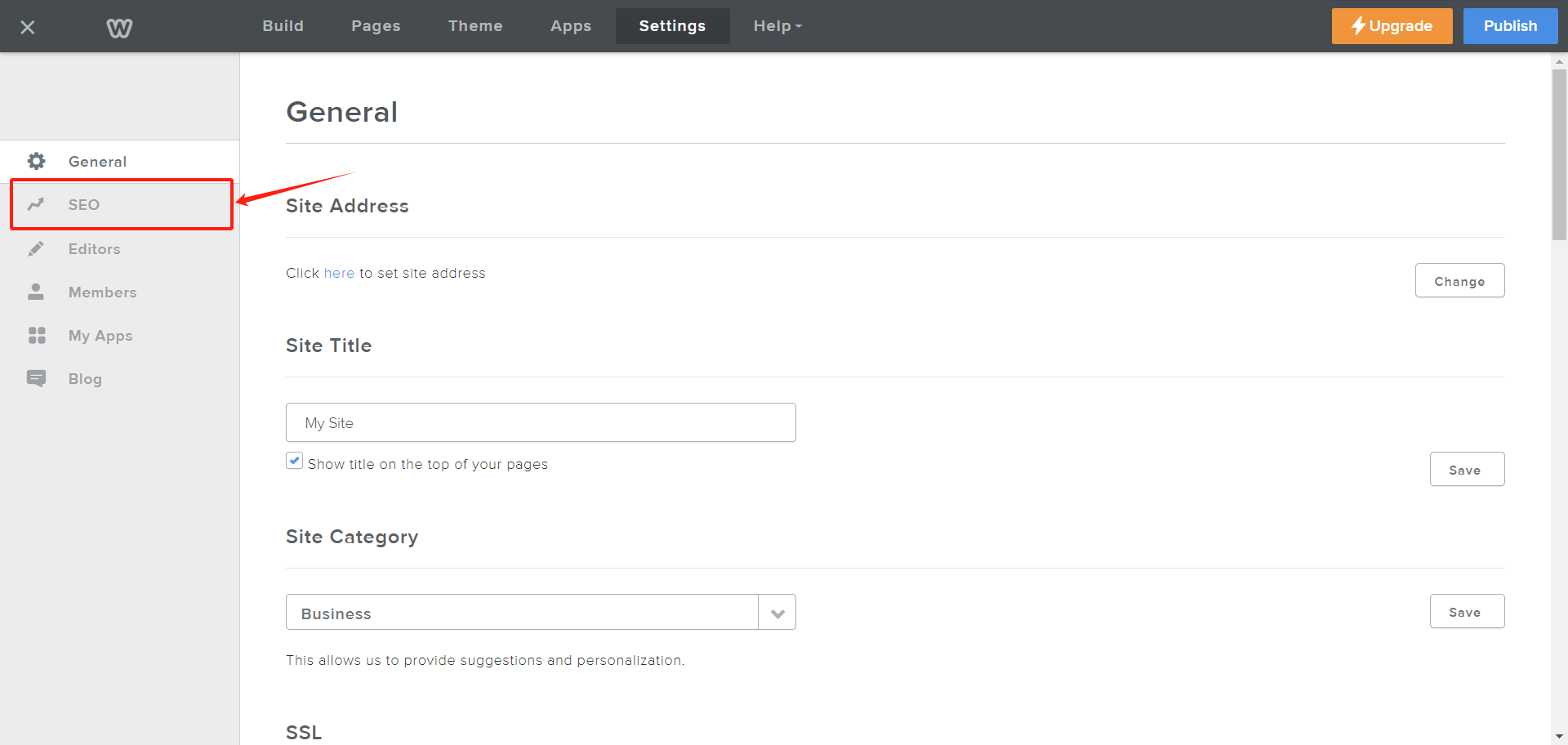
On the Settings page, click on SEO from the left navbar.
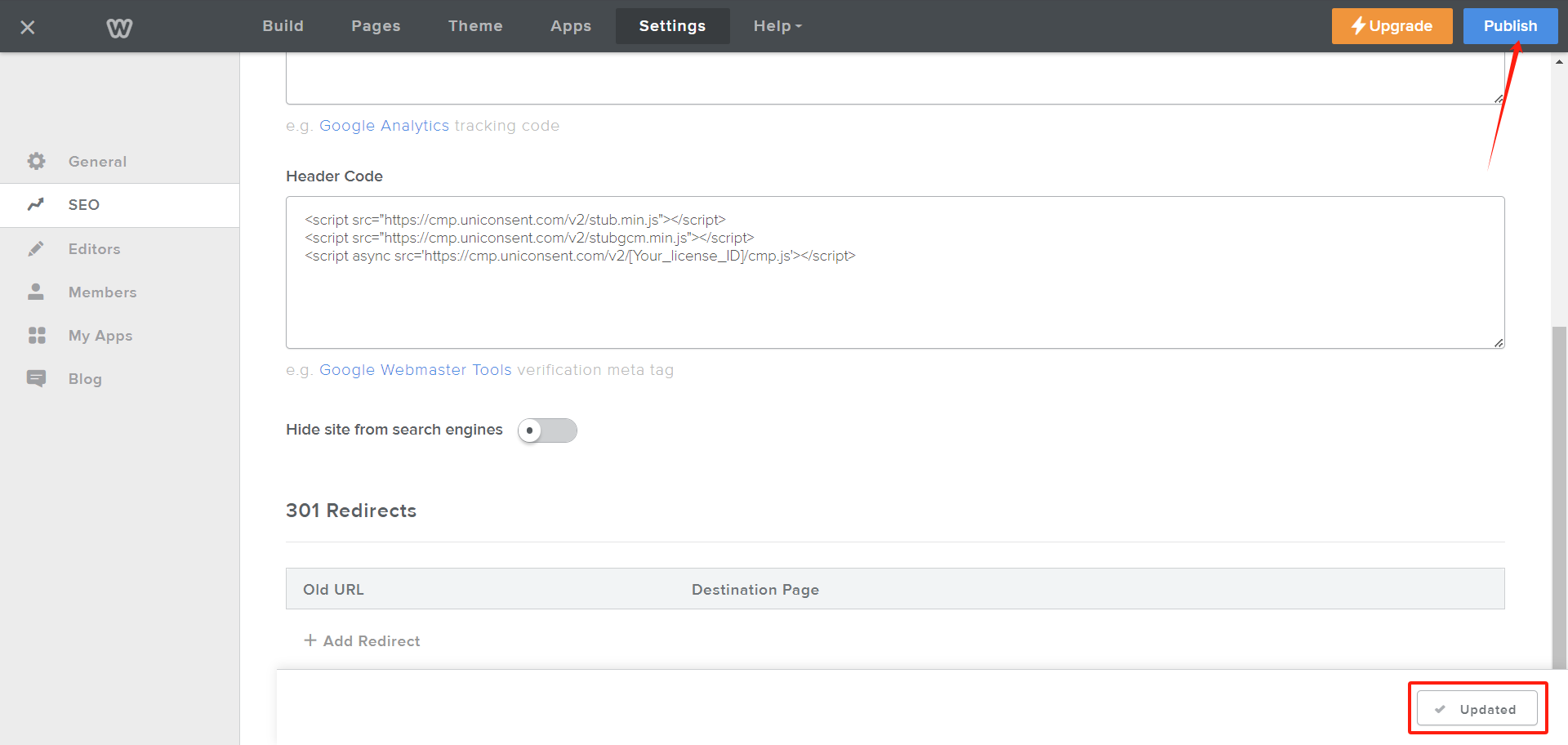
On the SEO page, scroll down to the Header Code textarea. Paste your UniConsent CMP code into the textarea and click the Save button at the bottom of the page.
After clicking the Save button, it will change to Updated. Then, click Publish in the top-right corner to activate the UniConsent banner across your Weebly site.