
Bannière de consentement aux cookies Joomla
Intégrez UniConsent à Joomla pour une conformité solide en matière de confidentialité des données. Ajoutez une bannière de conformité aux cookies en toute simplicité et répondez aux exigences du RGPD, du CCPA, de la LGPD et de la loi européenne sur les cookies.







Comment configurer
Configuration avec l'extension UniConsent
1. Se connecter à l'administration Joomla et installer l'extension UniConsent
Open your Joomla site’s administrator panel (usually yourdomain.com/administrator) and log in with your credentials.
Go to the Extensions Manager. From the top menu, navigate to Extensions → Manage → Install.
Download the UniConsent Joomla Extension at: https://www.uniconsent.com/plugin/uniconsent-joomla-25.10.0.zip.
If you already downloaded the extension (e.g., UniConsent), click Upload Package File. Browse your computer for the downloaded .zip file and click Upload & Install.
Configuration manuelle avec la balise UniConsent
1. Obtenir le code d'installation d'UniConsent CMP
First, log in to your UniConsent account, go to Consent Manager > My Websites, and click Manage.
Second, click Install & Setup and copy the CMP code in the black area.

2. Ajouter la bannière UniConsent à Joomla
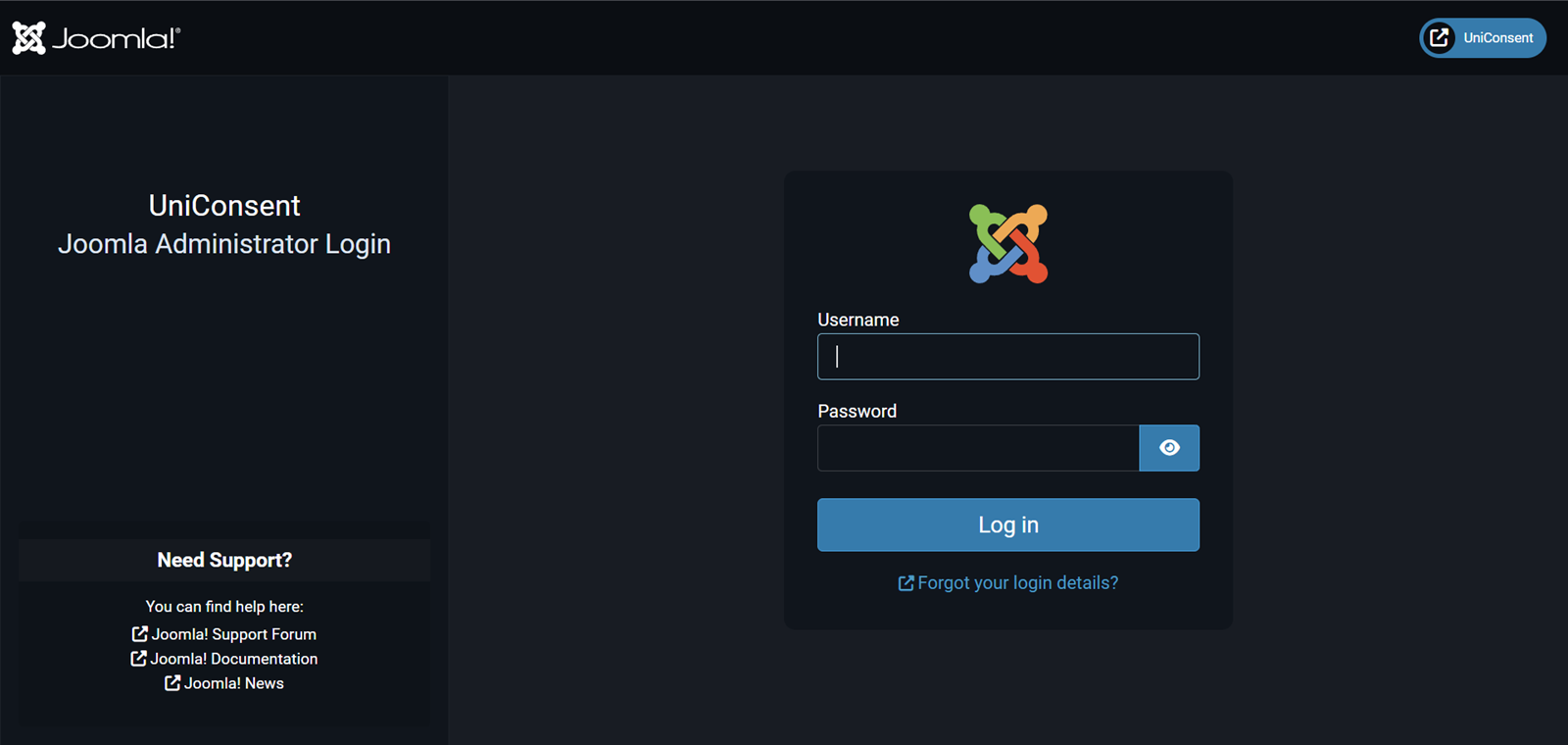
To add the banner, login to your Joomla admin
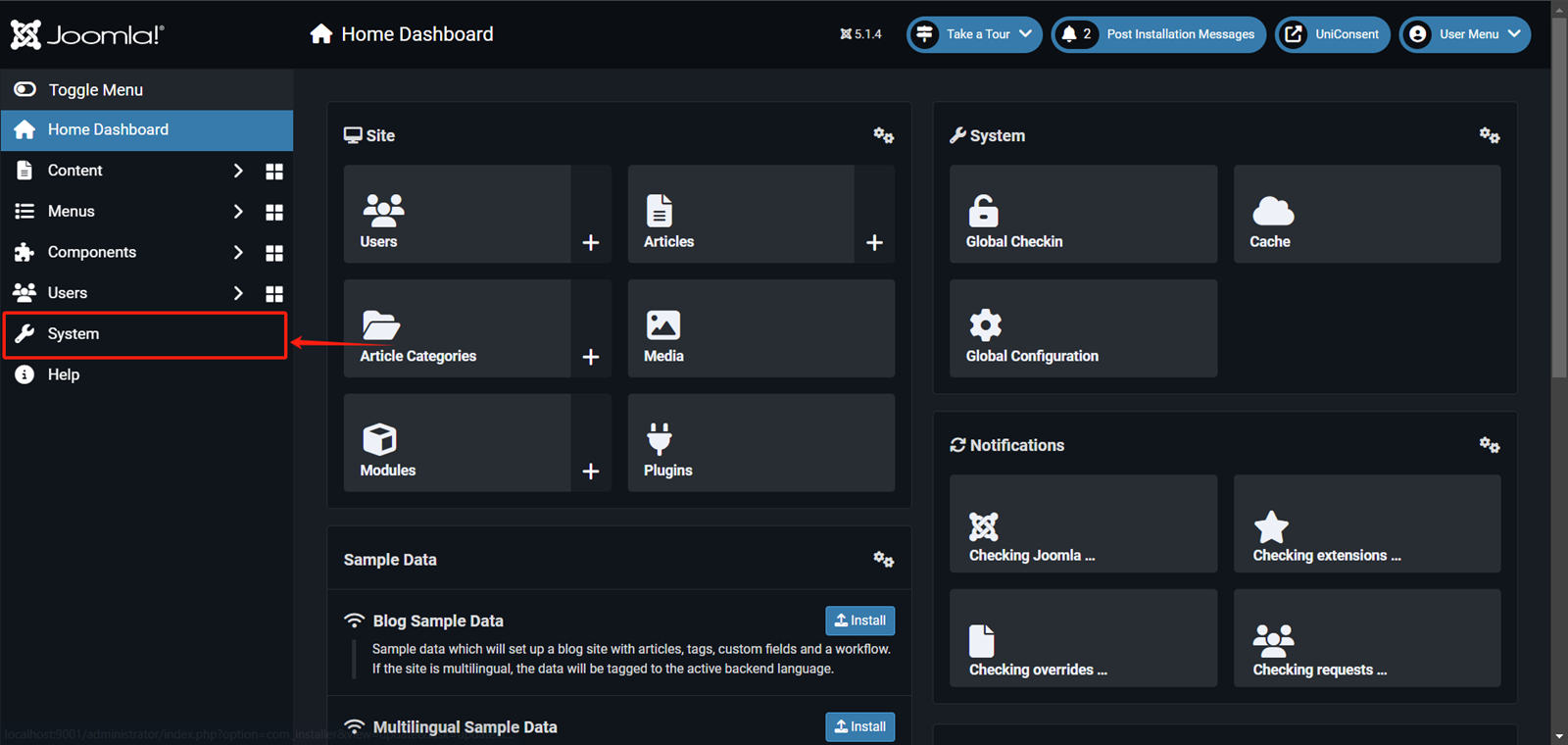
On your Joomla home dashboard, click System from the left sidebar.
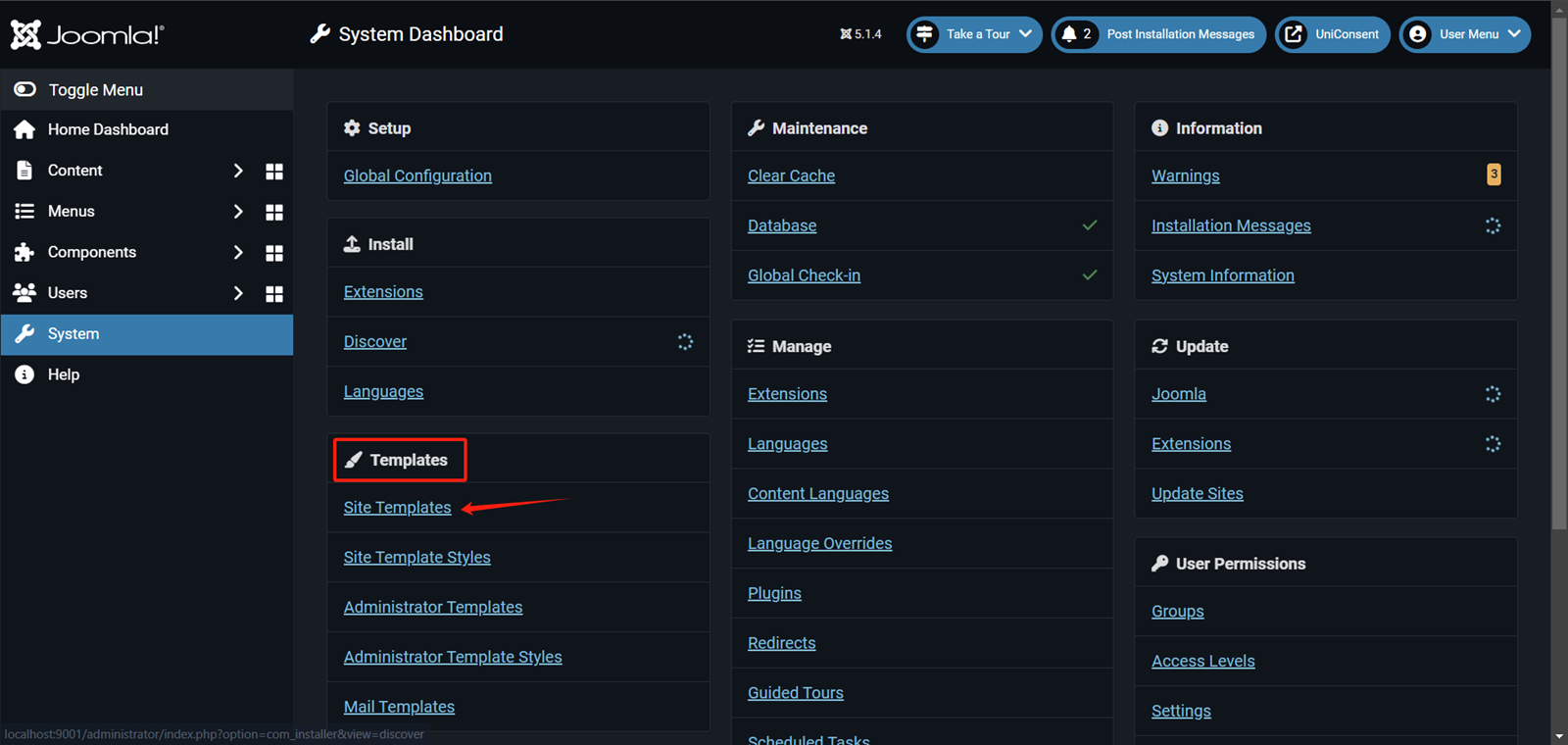
On your Joomla system dashboard, click Templates > Site Templates.
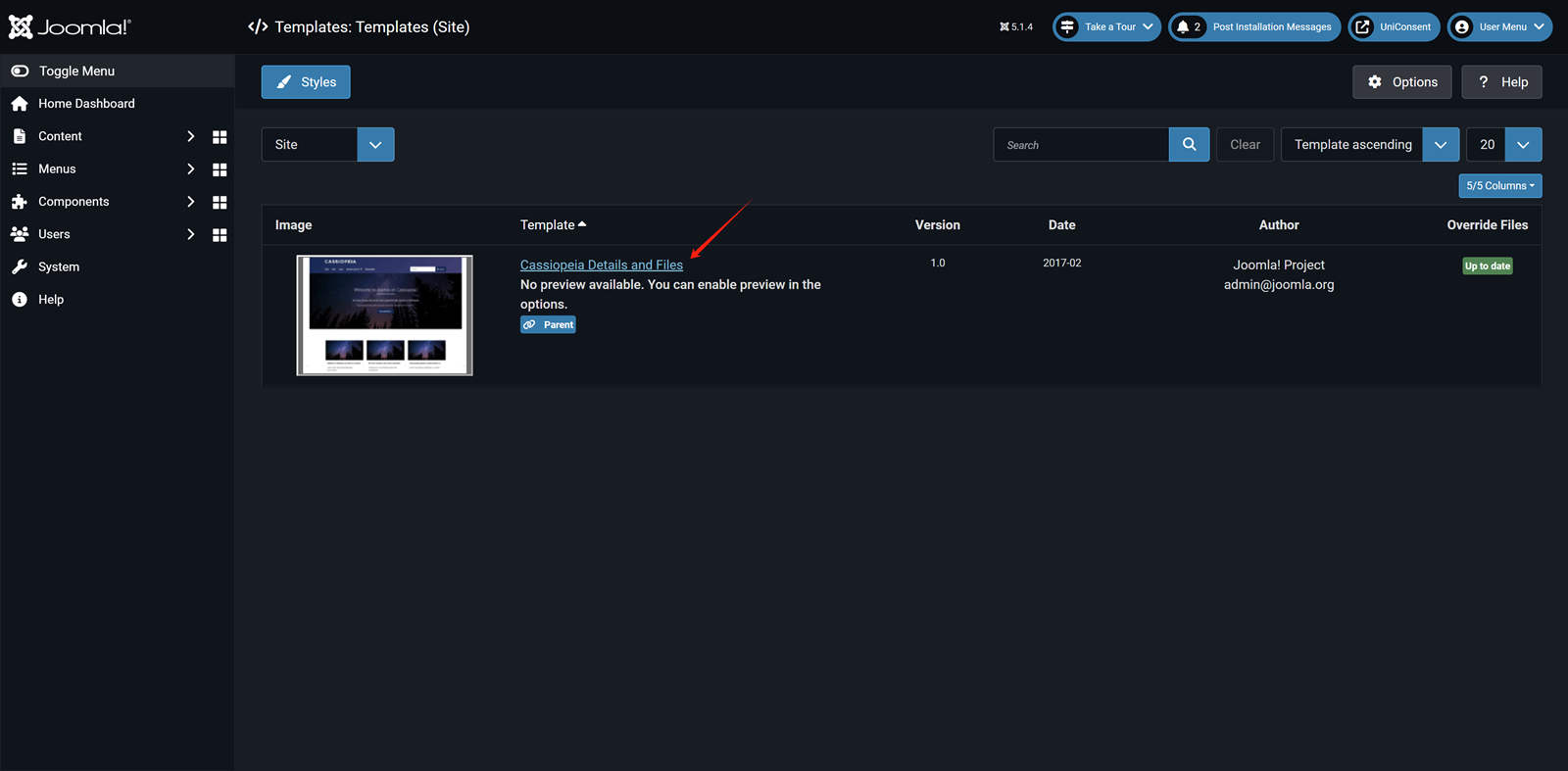
On the Select template page, choose the template where you want to add the UniConsent banner.
On the Theme edit page, click on index.php from the theme files.
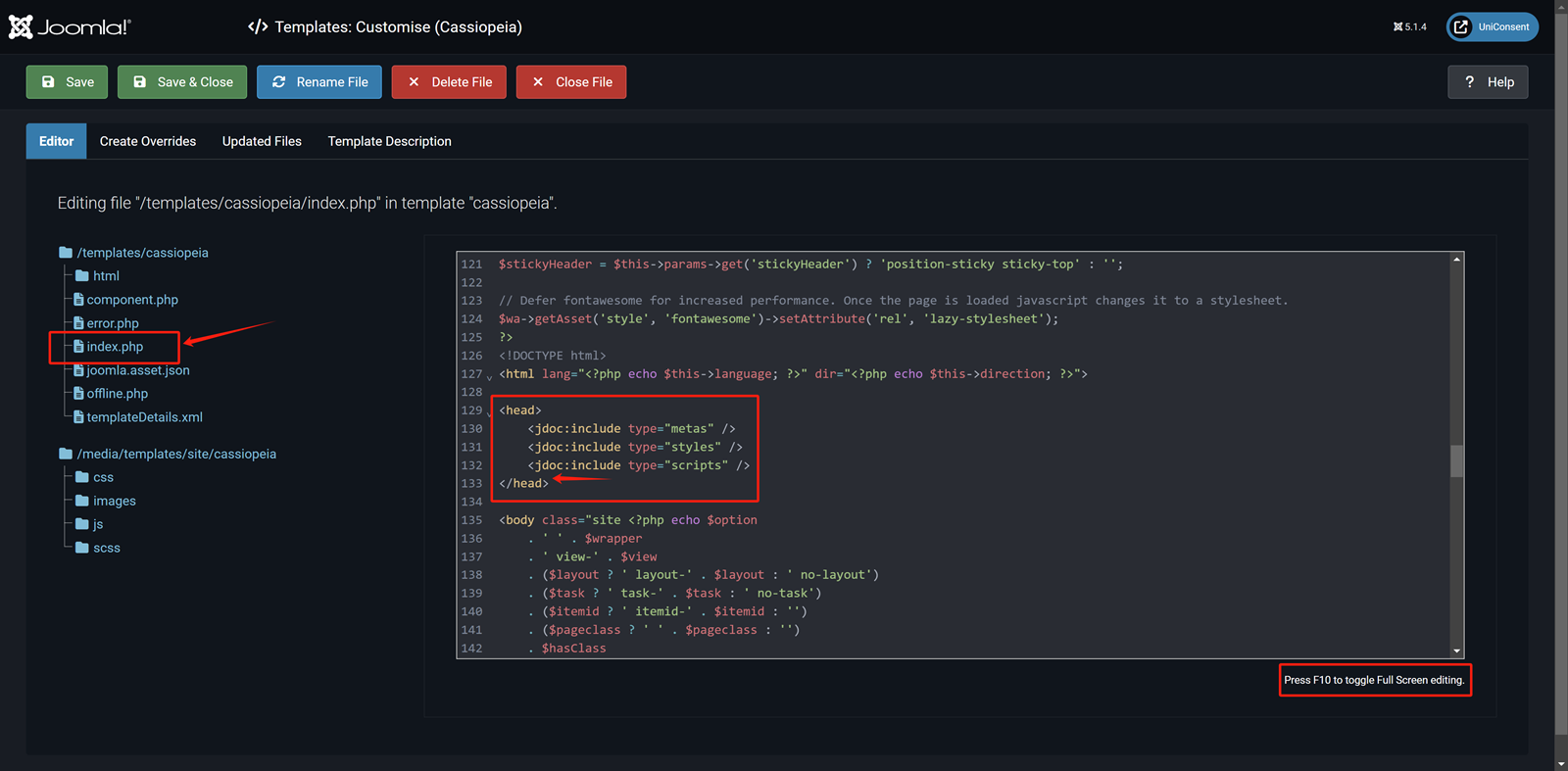
In the Code Editor paste the UniConsent CMP code into the Head section.
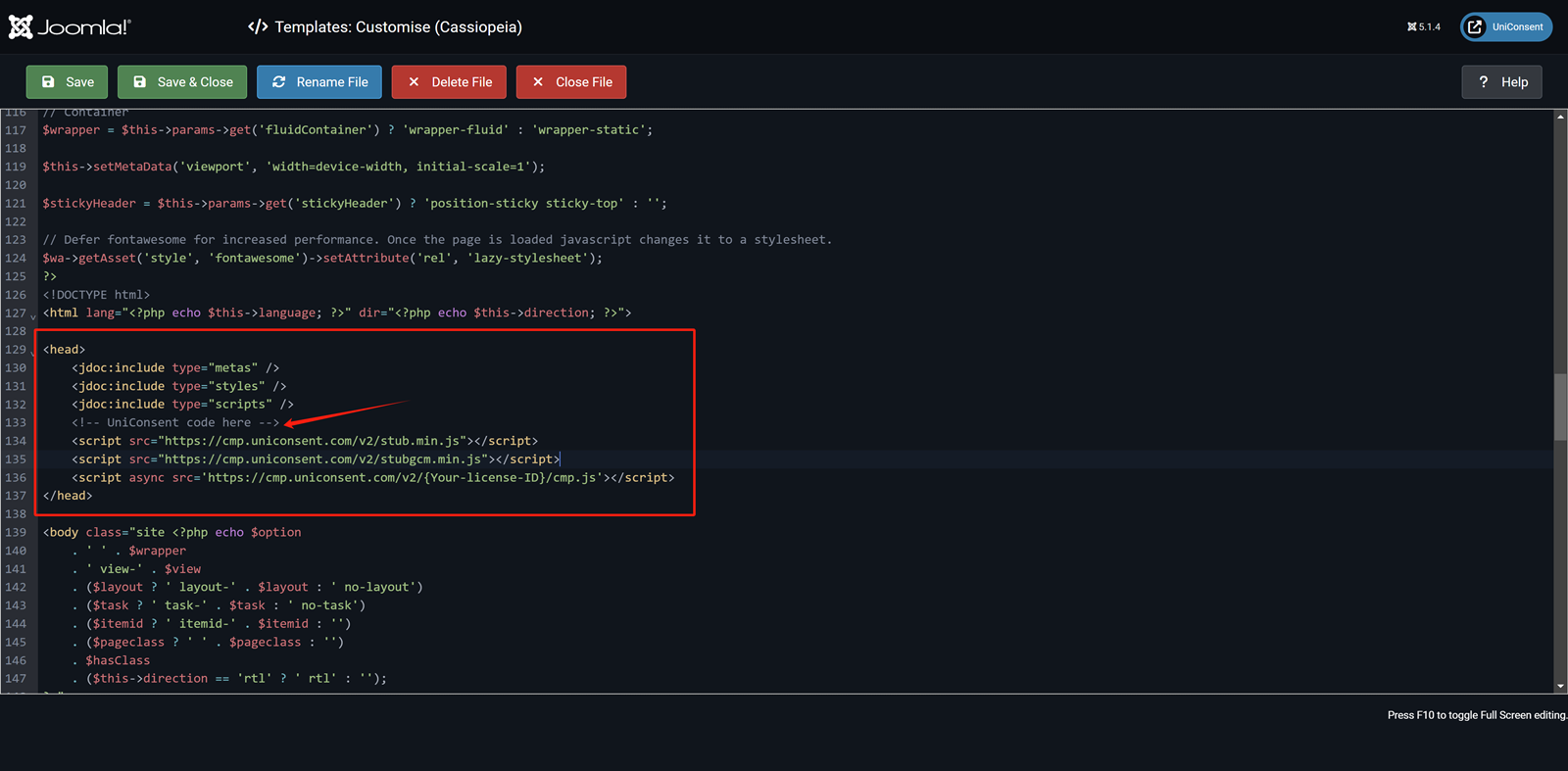
Finally, click Save in the top-left corner to apply the UniConsent banner site-wide on your Joomla website.